Learn

Everything NativePal Can Do for You

From your very first letter to fluent conversations — explore the features that make NativePal the most playful, personal way to learn a language with AI: Alphabet Lessons • Create Your Own Lessons • Reading Lessons • Vocabulary & Dictionary • Speaking Practice • Daily Challenges • Learning Scenarios • Immersive Scenarios • AI Chats • AI Characters.

Alphabet Lessons

Start a New Language From the Very First Letter

Most language apps assume you can already read the language. NativePal starts one step earlier. Alphabet lessons teach the letters and how they sound, a few at a time, with every sound explained in your own language, audio for each letter and real example words. A short quiz after each pack checks what stuck. It's how a complete beginner starts from zero, in any of the 57 languages.

  • Start from zero, no prior knowledge needed
  • A course for every one of the 57 languages
  • Every sound explained in your own language
  • Audio and real example words for every letter
Learn more →
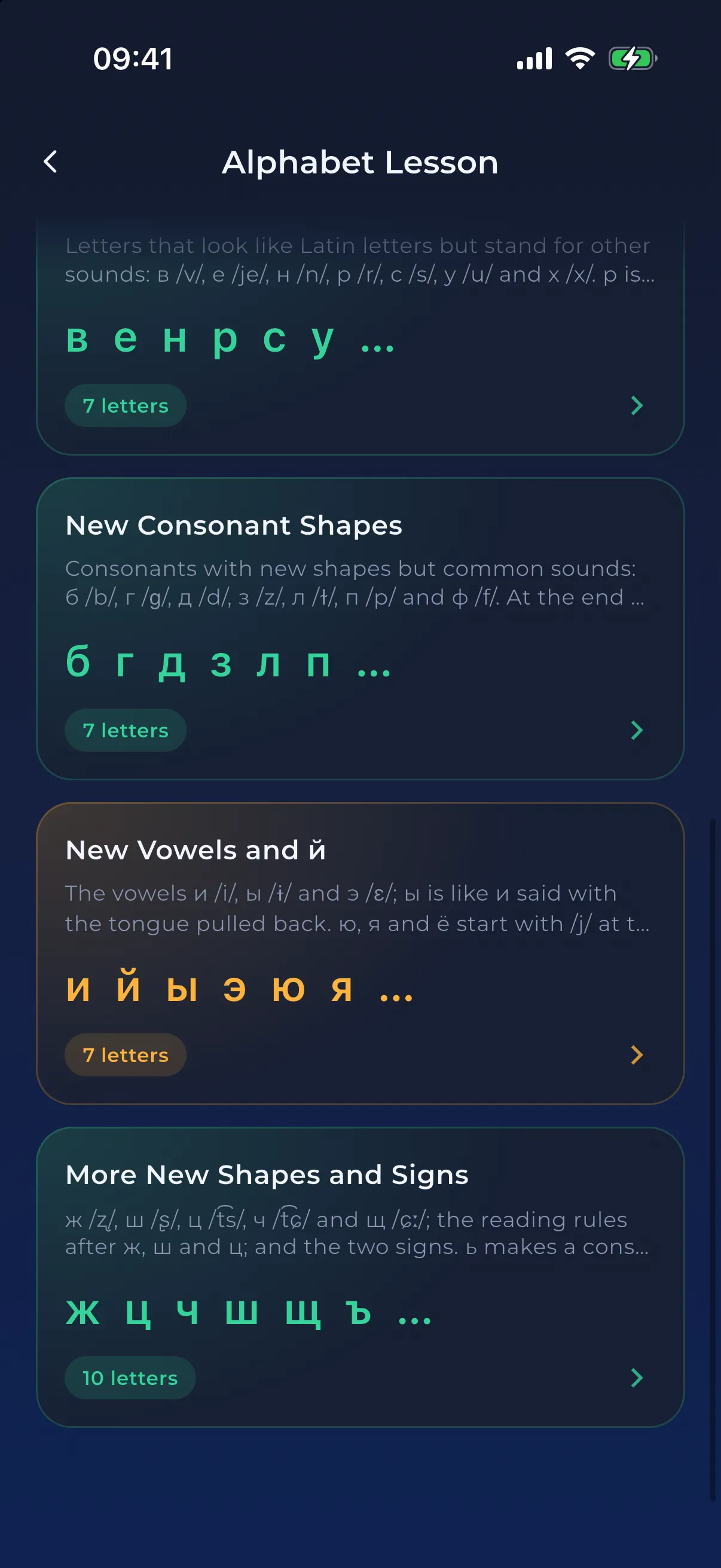
Russian alphabet packs, each with a few new Cyrillic letters
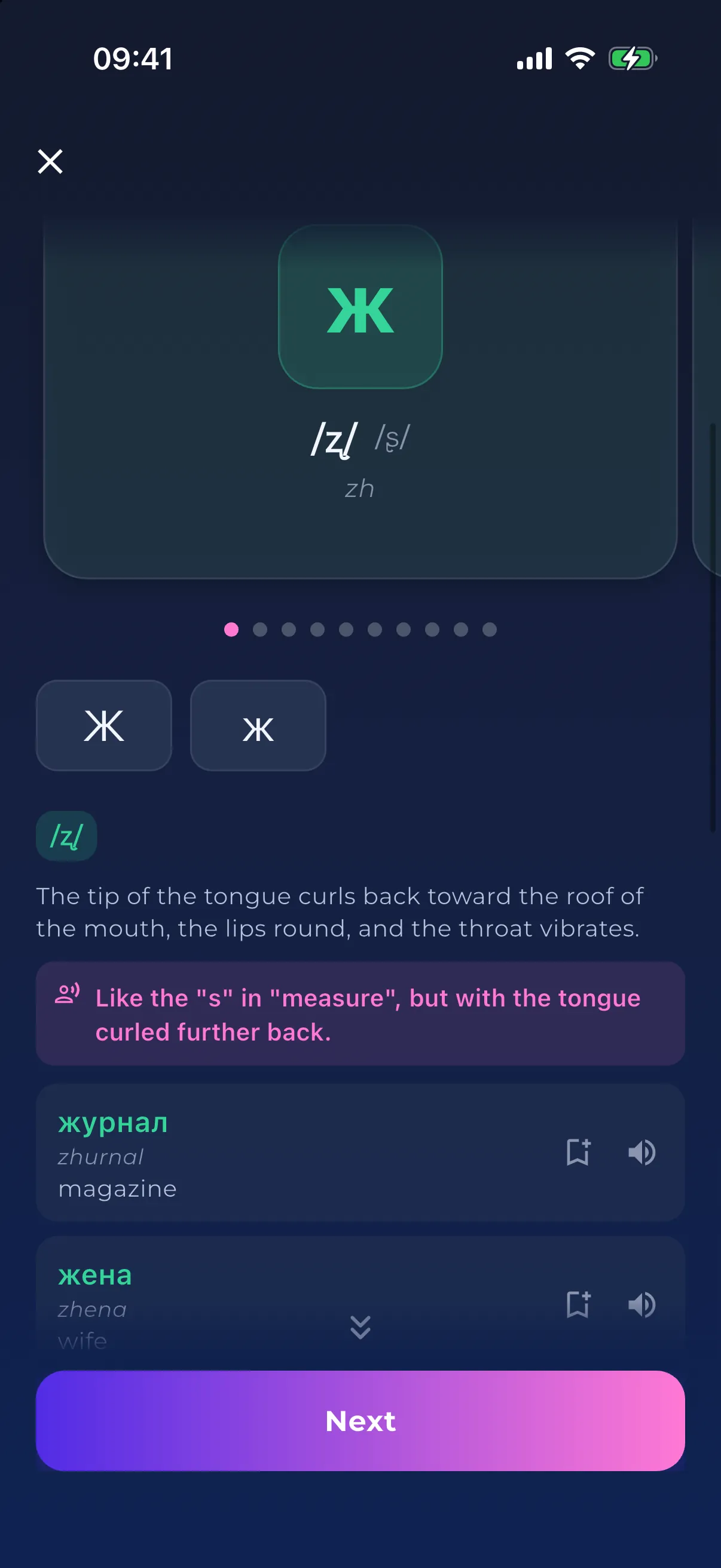
A card for the Russian letter ж with its sound, a comparison to English and example words
Create Your Own Lessons

Lessons About Your Life, Written for Your Level

In NativePal you can create your own lessons: describe a topic, a situation or the words you need, and the app writes a reading story, a vocabulary lesson, a teleprompter script or a role-play at your level, in any of its 57 languages. Your job, your trip, the conversation you are dreading: if it is part of your life, it can be your next lesson.

  • Reading, vocabulary, teleprompter and scenario lessons about anything you like
  • Written for your level: CEFR, JLPT, HSK or TOPIK
  • Stories with your words, your tone and your hero
  • Your own words and idioms taught first
Learn more →
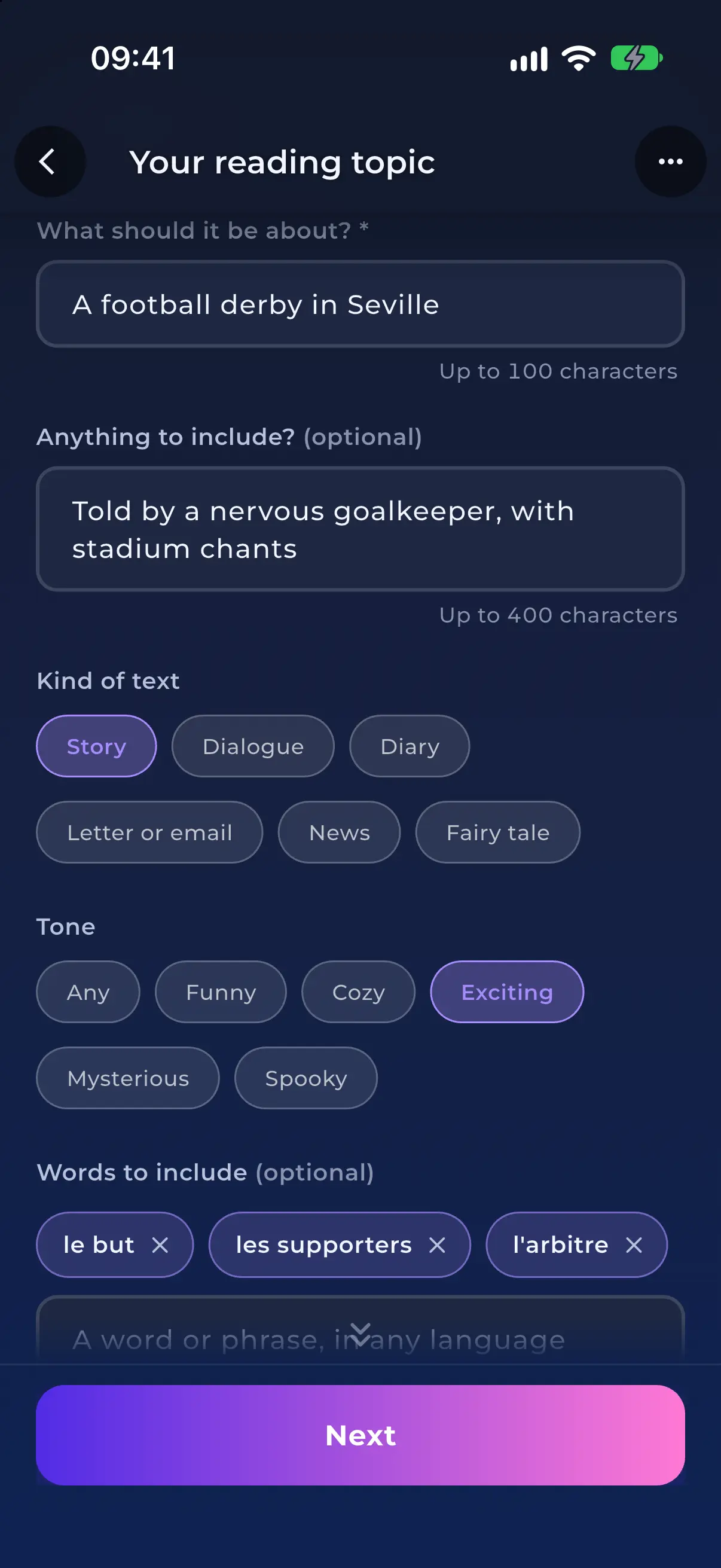
Creating a reading lesson: what it is about, the kind of text, the tone and the words to include
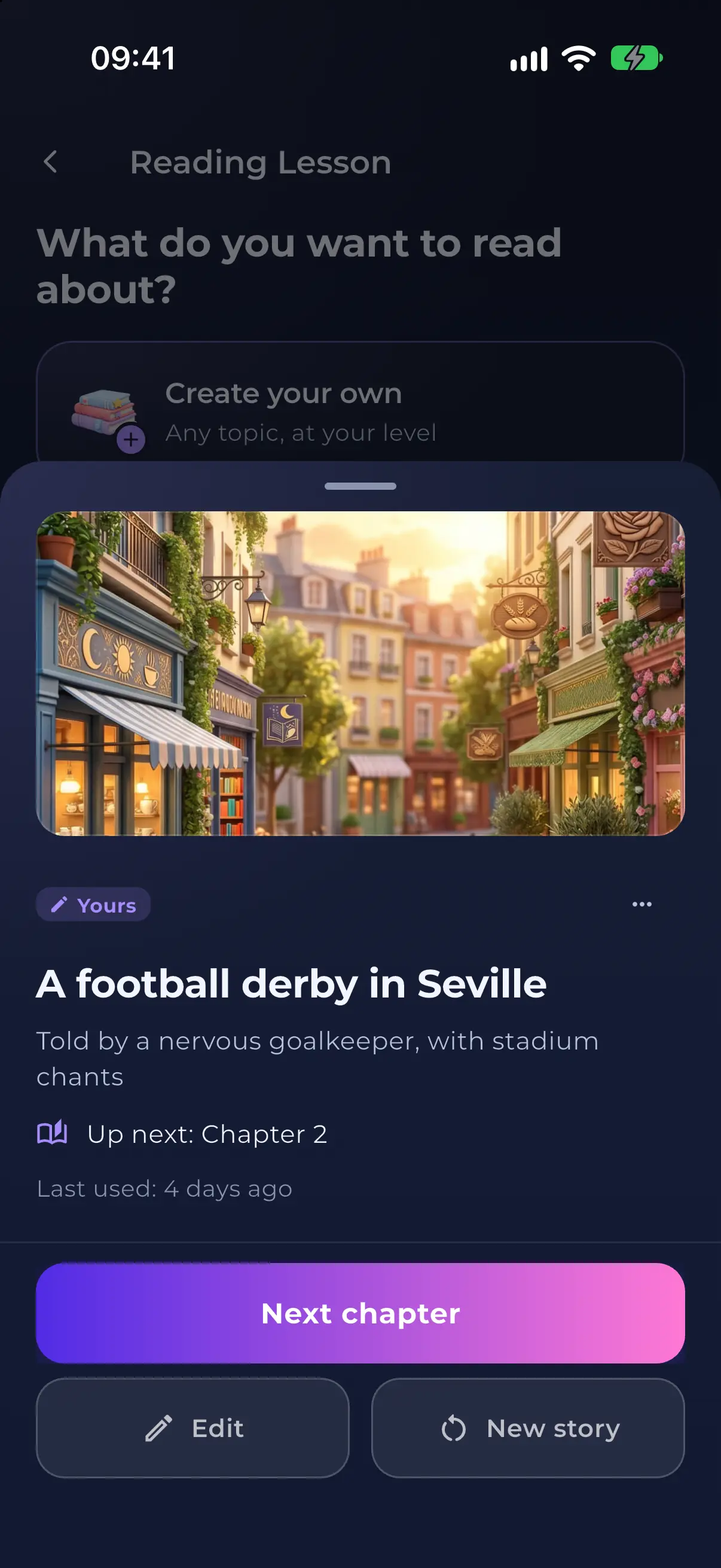
A saved story in Made by you, ready for its next chapter
Reading Lessons

Read Your Way to Fluency

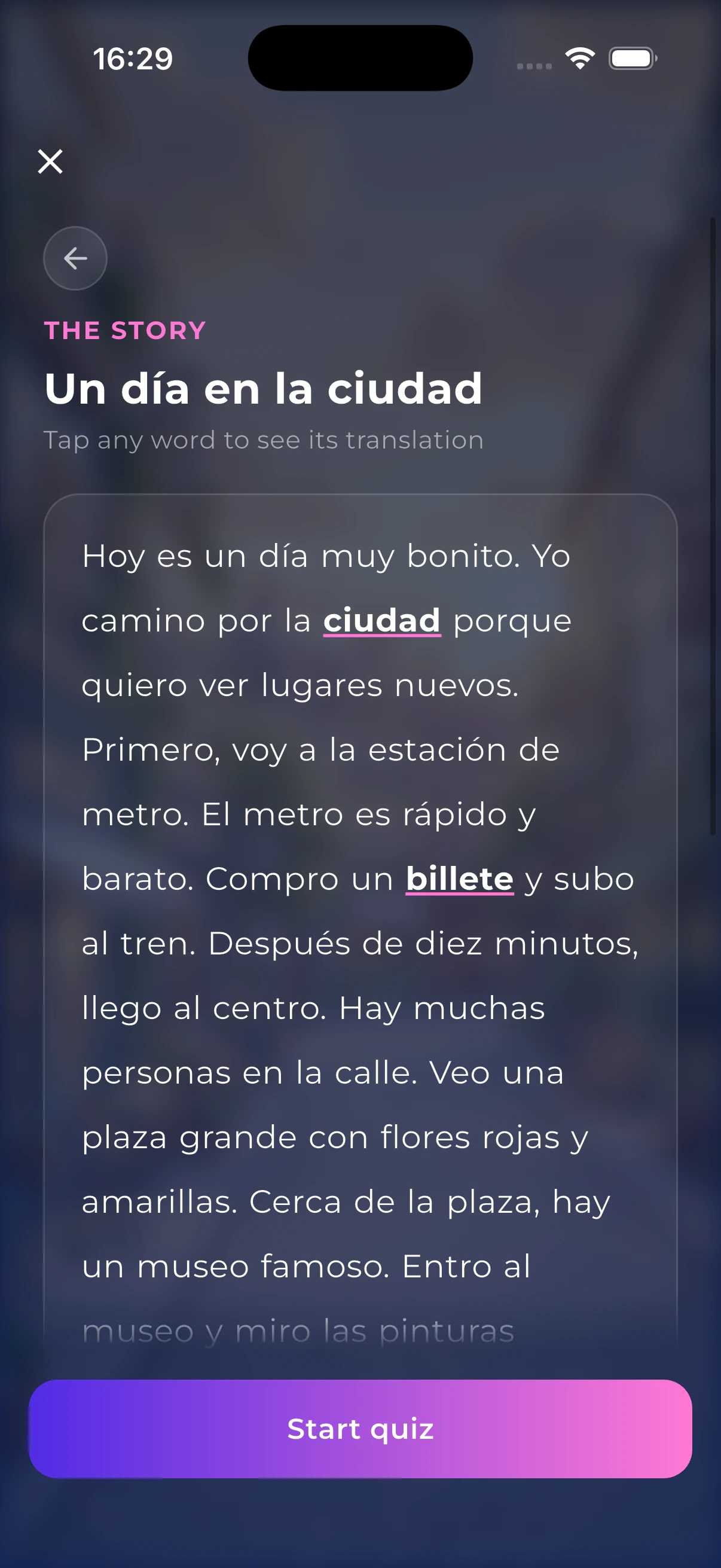
Reading is where vocabulary finally sticks — but only if what you're reading actually matches your level and interests. NativePal writes you a fresh story on demand: pick a topic, pick a length, and get a story tuned to your level, complete with the key words and phrases you'll need, instant translations on every word, and a quick quiz to prove you understood it.

  • Nearly 70 story topics across 9 categories
  • Stories written for your CEFR level, from A1 to C2
  • Choose a short, medium, or long read
  • Key vocabulary & useful expressions with native audio
Learn more →
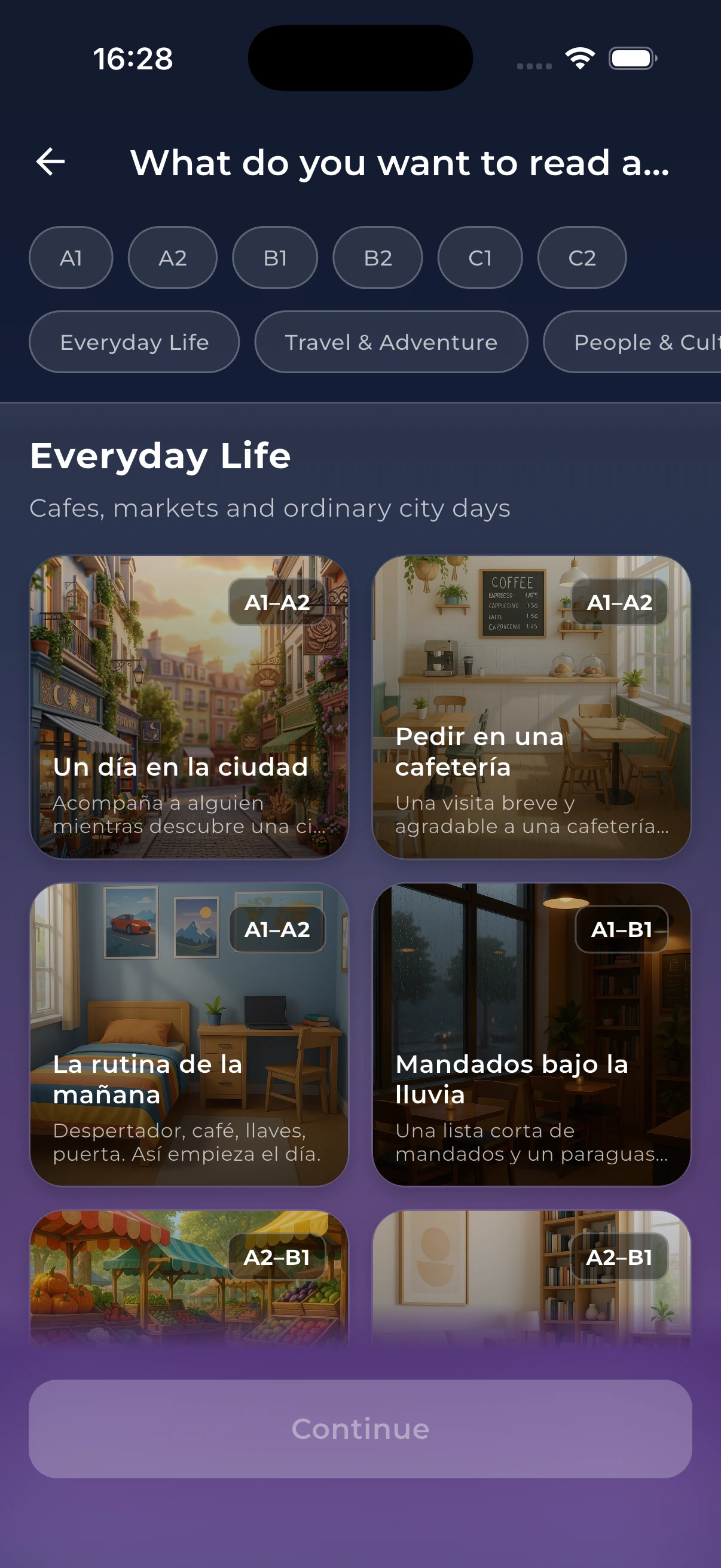
Reading topics, with Create your own at the top and a level filter
Reading a story with tappable words in your target language
Vocabulary & Dictionary

Build a Vocabulary That Actually Sticks

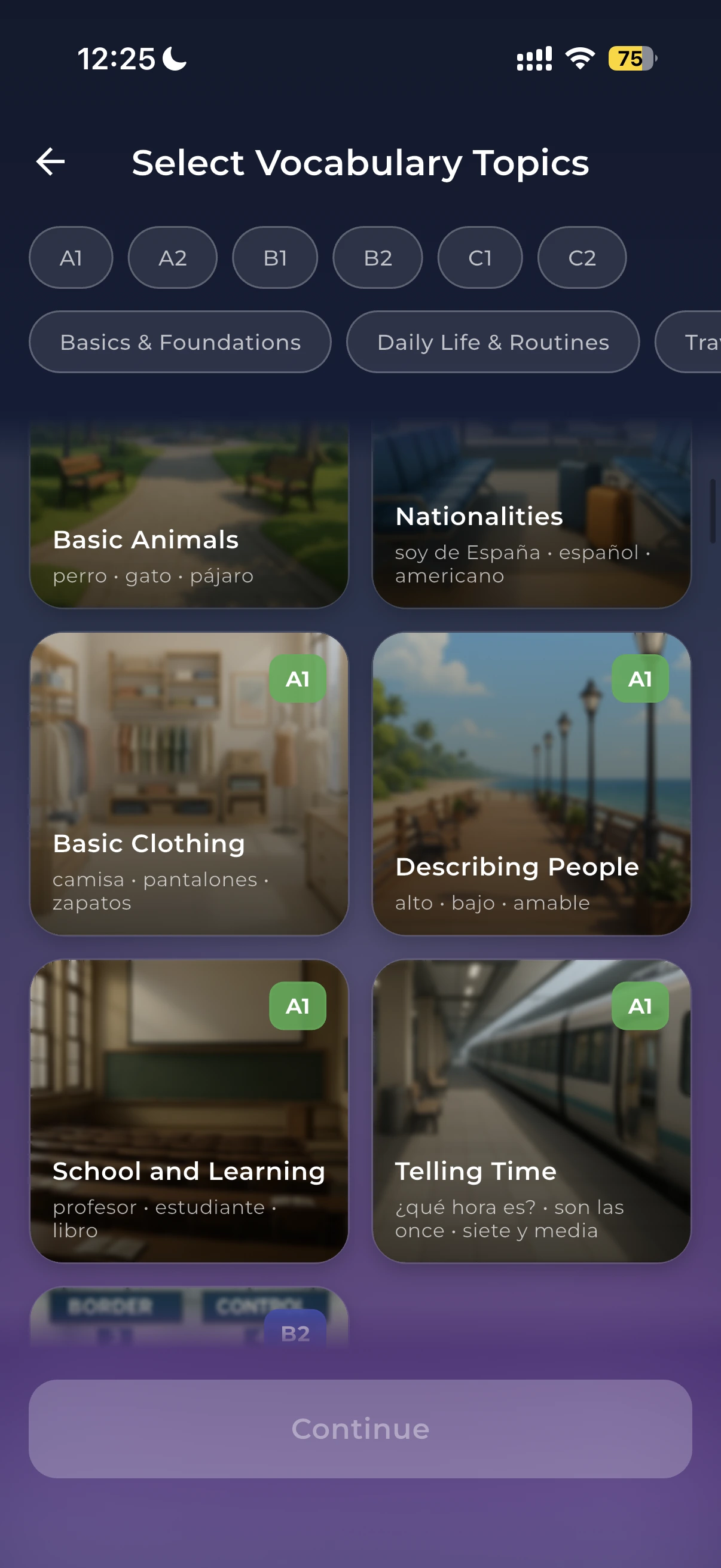
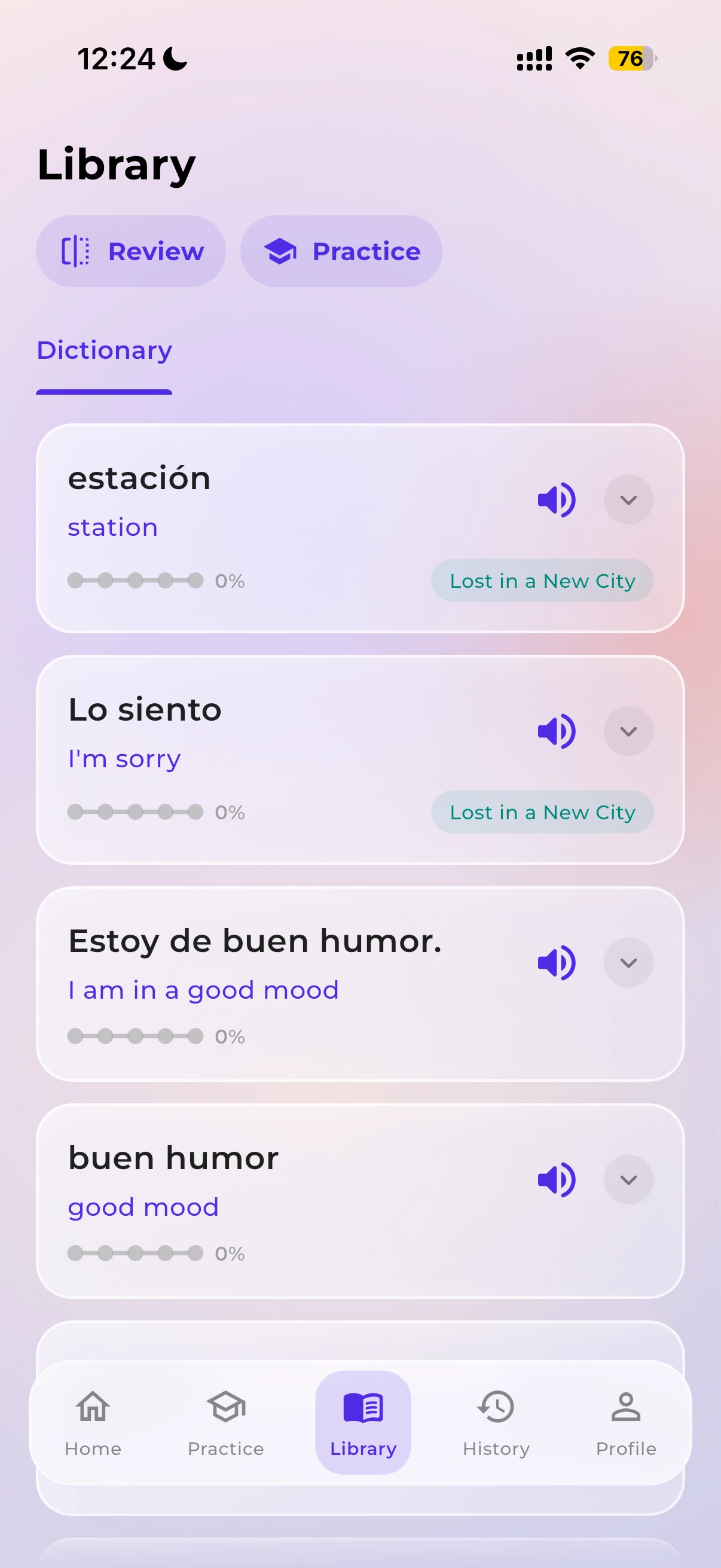
Most apps hand you a word list and hope for the best. NativePal teaches words the way you'll actually meet them — in themed lessons built around real situations, with the examples, usage tips, and common mistakes that separate knowing a translation from knowing a word. Everything you learn or look up lands in your personal dictionary, where flashcards and quizzes keep it from slipping away.

  • Themed vocabulary lessons for real-life situations
  • Collocations & commonly confused word pairs
  • Examples, usage tips & common mistakes for every word
  • Quick 5-question sessions or 20-question deep dives
Learn more →
Vocabulary topics with sample words, level filters and Create your own
Personal dictionary of saved words collected across the app
Speaking Practice

Perfect Your Pronunciation with AI

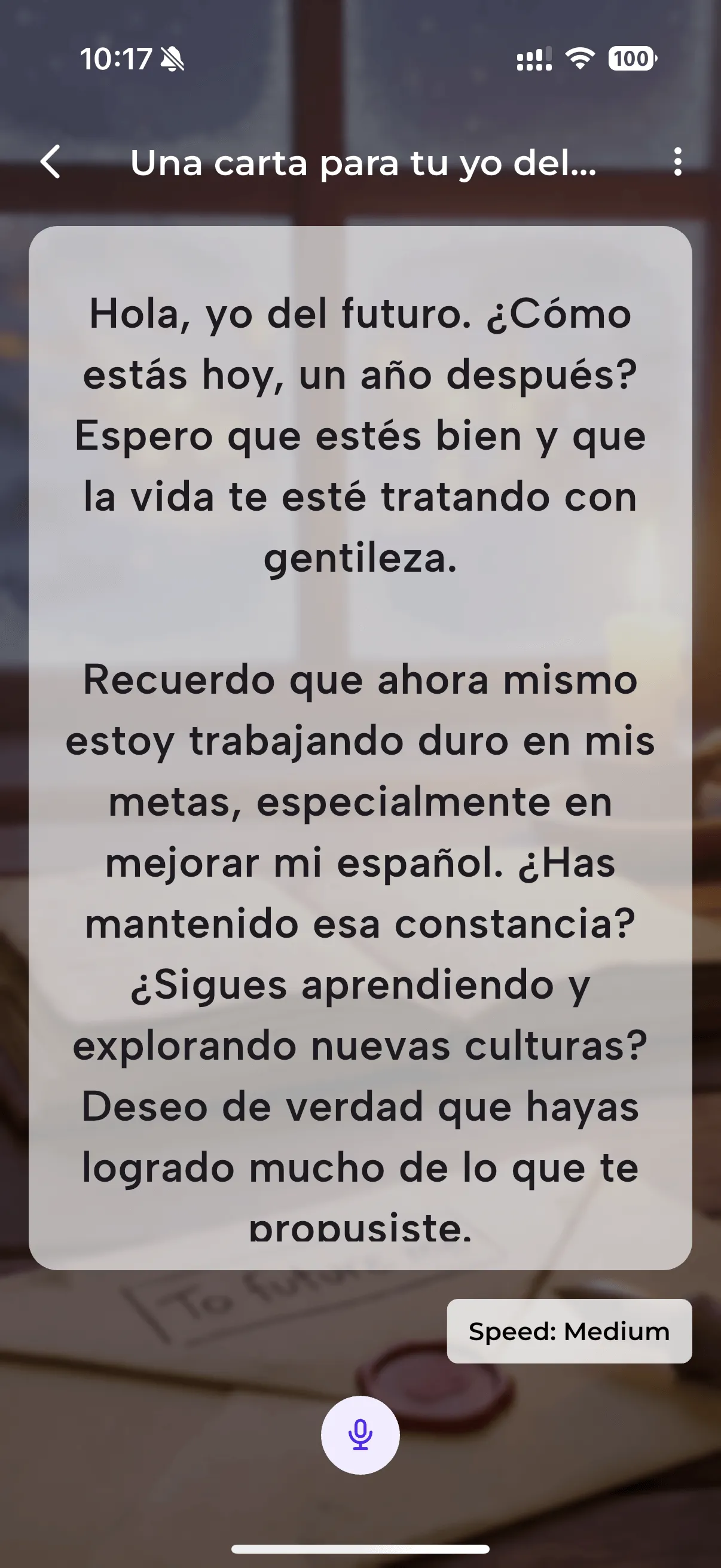
NativePal's Speaking Practice uses an AI-powered teleprompter to help you read aloud and get instant, detailed feedback on your pronunciation. Whether you're a beginner or advanced learner, every session gives you actionable insights to sound more natural and confident.

  • Pronunciation scoring for individual vowels & consonants
  • Prosody analysis — stress, rhythm, and intonation
  • Fluency & pacing feedback with hesitation detection
  • Connected speech evaluation for natural flow
Learn more →
A Japanese teleprompter script with the reading aid on: Latin letters under each sentence and a speaker to hear it
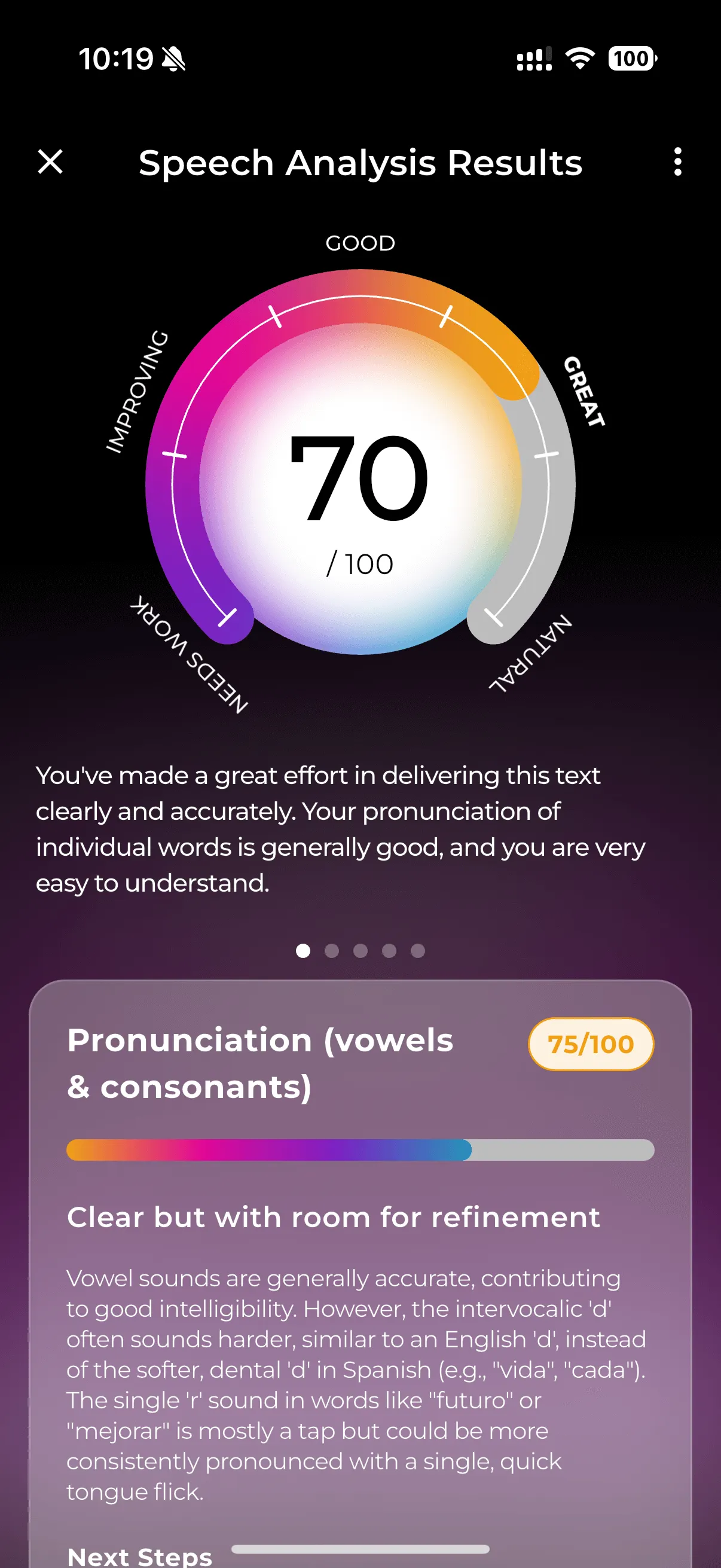
AI speech analysis results with pronunciation score
Daily Challenges

Learn From Every Conversation

NativePal's Daily Challenges give you a focused, 60-second speaking exercise every day. Speak freely on a topic, and our AI analyzes your grammar, vocabulary, and phrasing — then shows you exactly how a native speaker would say it.

  • Detailed grammar corrections with explanations
  • Vocabulary suggestions for more natural speech
  • Natural alternatives at three levels — basic, natural, formal
  • Personalized topic recommendations
Learn more →
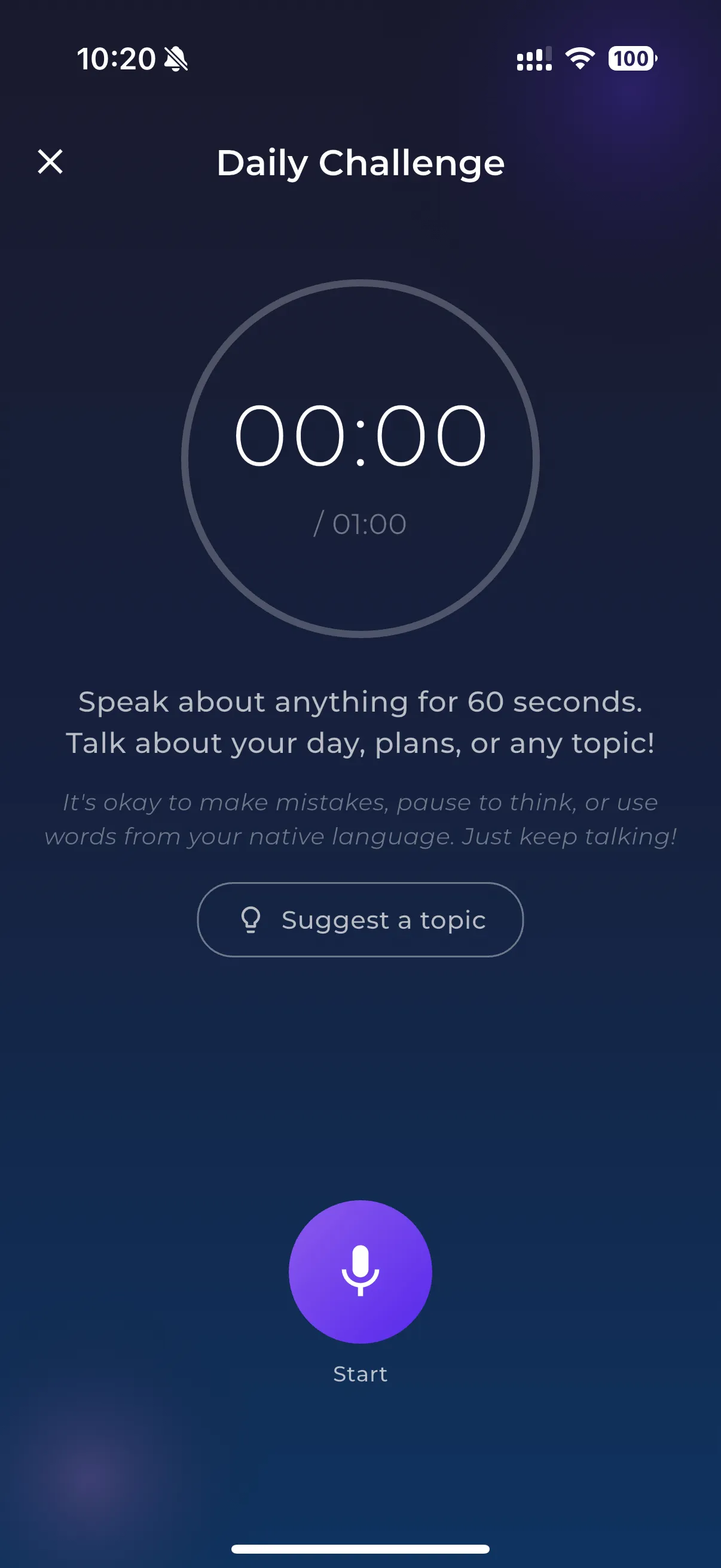
Daily challenge timer screen for 60-second speaking
Detailed feedback showing grammar and vocabulary corrections
Learning Scenarios

Learn Any Language From Zero, One Scenario at a Time

NativePal's Learning Scenarios are structured, guided chats where an AI character teaches you a language from scratch — from your very first hello to everyday self-expression. No textbooks, no drills. Just playful, step-by-step lessons disguised as conversations, so the basics stick naturally.

  • Designed for true beginners — no prior knowledge required
  • Greetings, politeness, and simple small talk
  • Your name, where you're from, and the people in your life
  • Numbers, colours & everyday objects
Learn more →
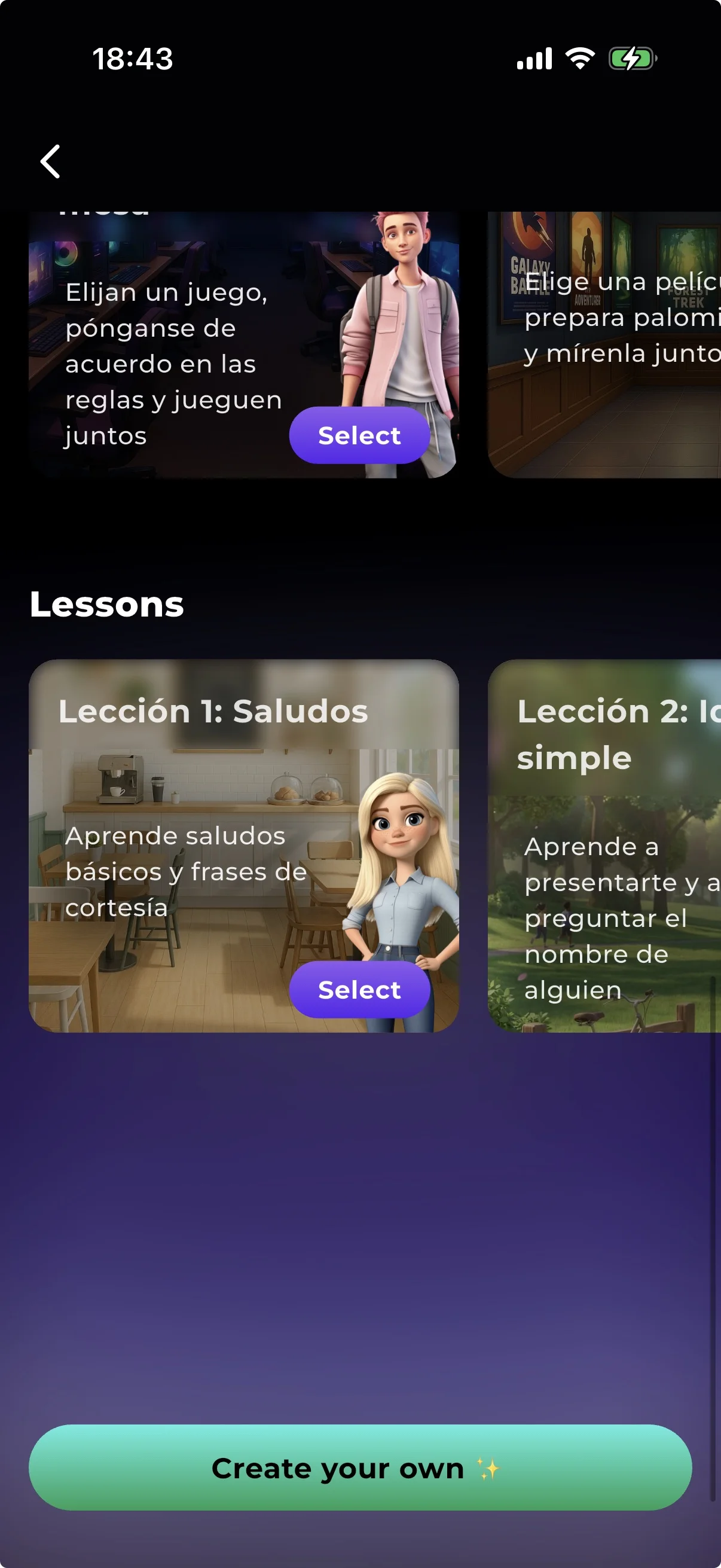
Guided Learning Scenarios: greetings, introductions, numbers, colours and more
An AI character teaching the basics inside a language lesson chat
Immersive Scenarios

Practice Real Conversations

NativePal's Immersive Scenarios drop you into real-life situations — ordering coffee, visiting the doctor, navigating an airport — where you practice the conversations you'll actually have. Each scenario features AI characters with unique personalities who respond naturally to what you say.

  • Bank, doctor, airport, café & more real-life scenarios
  • AI characters with distinct personalities and speaking styles
  • Contextual vocabulary tailored to each situation
  • Reply suggestions when you need help
Learn more →
Scenario topics, with Create your own and Made by you at the top
A role-play chat with an AI character at a Christmas market
AI Chats

Every Chat Is a Language Lesson

NativePal's chats aren't just for practice — they're a full language lesson in every message. Talk to any character in your target language using text or voice, ask them to explain anything you don't understand, listen to every message in native-like audio, and get instant feedback on how you wrote or pronounced it. It's the closest thing to having a patient native-speaker tutor in your pocket.

  • Chat with native-style AI characters in 57 languages
  • Ask for explanations or full lessons on demand
  • Listen to every message in native-like audio
  • Reply with text or voice — your choice
Learn more →
Chatting with an AI character in your target language
Instant feedback and tips on grammar and phrasing in a chat message
AI Characters

Chat With AI Characters That Bring Your Language to Life

NativePal lets you practice real conversations with a wide cast of AI characters, beautifully crafted in a 3D Pixar-inspired style. Pick a featured character with their own backstory and personality, choose a special native speaker tied to your target language, or design your own companion from scratch.

  • Wide selection of original 3D Pixar-style characters
  • Special native-speaker characters with cultural backstories
  • Design fully custom characters with traits, interests & avatars
  • Consistent personalities across every conversation
Learn more →
Browse the NativePal character roster and pick a chat partner
Open chat with an AI character speaking your target language

Frequently Asked Questions about NativePal

What is NativePal?

NativePal is an AI language learning app for iOS and Android that takes you from zero. Alphabet lessons teach the letters and their sounds in your own language; then you practise with levelled reading, themed vocabulary and a personal dictionary with spaced-repetition flashcards, pronunciation coaching, guided beginner lessons, and conversation when you want it — in 57 languages.

How is NativePal different from other language apps?

Streak apps win at daily drills. Generic chatbots win at open-ended talk if you prompt them. NativePal is a complete practice loop: you read stories at your level, save words into spaced repetition, get scored pronunciation feedback, and can still chat or roleplay when that is the job. Conversation is one tool in the app, not the whole product.

Which languages does NativePal support?

NativePal supports 57 languages, including Spanish, French, German, Italian, Portuguese, Dutch, Polish, Russian, Japanese, Korean, Chinese (Simplified), Thai, Vietnamese, Hindi, Arabic, Hebrew, Turkish, Swahili, and many more.

Can I use NativePal as a complete beginner?

Yes, from zero. Alphabet lessons teach the letters and how they sound, a few at a time, with every sound explained in your own language, audio, example words and a short quiz, in all 57 languages. Learning Scenarios then walk you through greetings, introductions, numbers, and core vocabulary. From there you can move into reading lessons, vocabulary packs, speaking practice, and conversation as your level grows.

Can I create my own lessons in NativePal?

Yes. Describe a topic, a situation or the words you need, and NativePal writes a reading story, a vocabulary lesson, a teleprompter script or a role-play at your level, in any of its 57 languages. Saved lessons can be continued, like the next chapter of a story.

Can I practise speaking a language whose script I can't read yet?

Yes. Alphabet lessons teach the letters, and on the teleprompter a reading aid shows every sentence in Latin letters, or in kana for Japanese, for the 21 languages NativePal teaches that are not written in the Latin alphabet. Your pronunciation is still scored on the original script.

Is NativePal free?

NativePal is free to start, with a premium subscription unlocking unlimited features. It's available on the App Store and Google Play.

Does NativePal correct my grammar and pronunciation?

Yes. Speaking Practice and Daily Challenges score pronunciation in detail — individual sounds, rhythm, fluency, and connected speech. When you chat, text replies are analysed for grammar, vocabulary, and phrasing, and voice replies get pronunciation notes.

Can I speak with NativePal, not just type?

Yes. Speaking Practice is a teleprompter you read aloud. Daily Challenges are 60 seconds of freeform talk. You can also reply with your voice in chats and scenarios.

Are the AI characters in NativePal customizable?

Yes. NativePal includes a wide cast of pre-built characters, including special native-speaker characters for individual languages. You can also design your own custom characters by choosing avatar, personality traits, interests, and conversation style.

Try NativePal Today

Download NativePal and start practicing for free. Available in 57 languages on iOS and Android.

Download NativePal on the App Store Get NativePal on Google Play

Available in 57 languages

Follow us on social