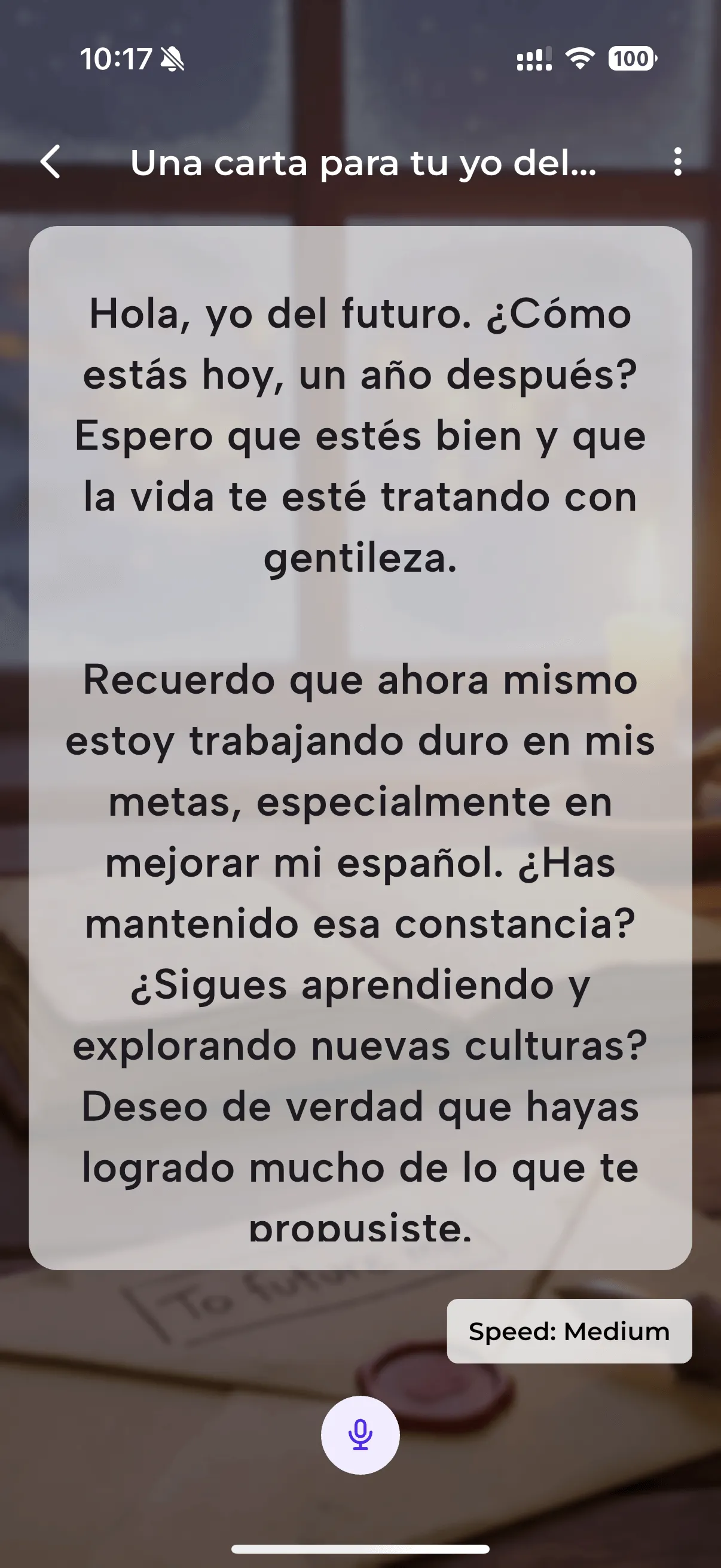
NativePal's Speaking Practice uses an AI-powered teleprompter to help you read aloud and get instant, detailed feedback on your pronunciation. Whether you're a beginner or advanced learner, every session gives you actionable insights to sound more natural and confident.
Pick a topic and how long you want to speak, or bring your own text, and NativePal writes a script at your level. Read it aloud at your own pace while the teleprompter scrolls, at any speed from Very slow to Fast. NativePal compares your speech against native pronunciation patterns, and when you're done, you receive a comprehensive breakdown — not just a single score, but granular feedback on every aspect of your speech.
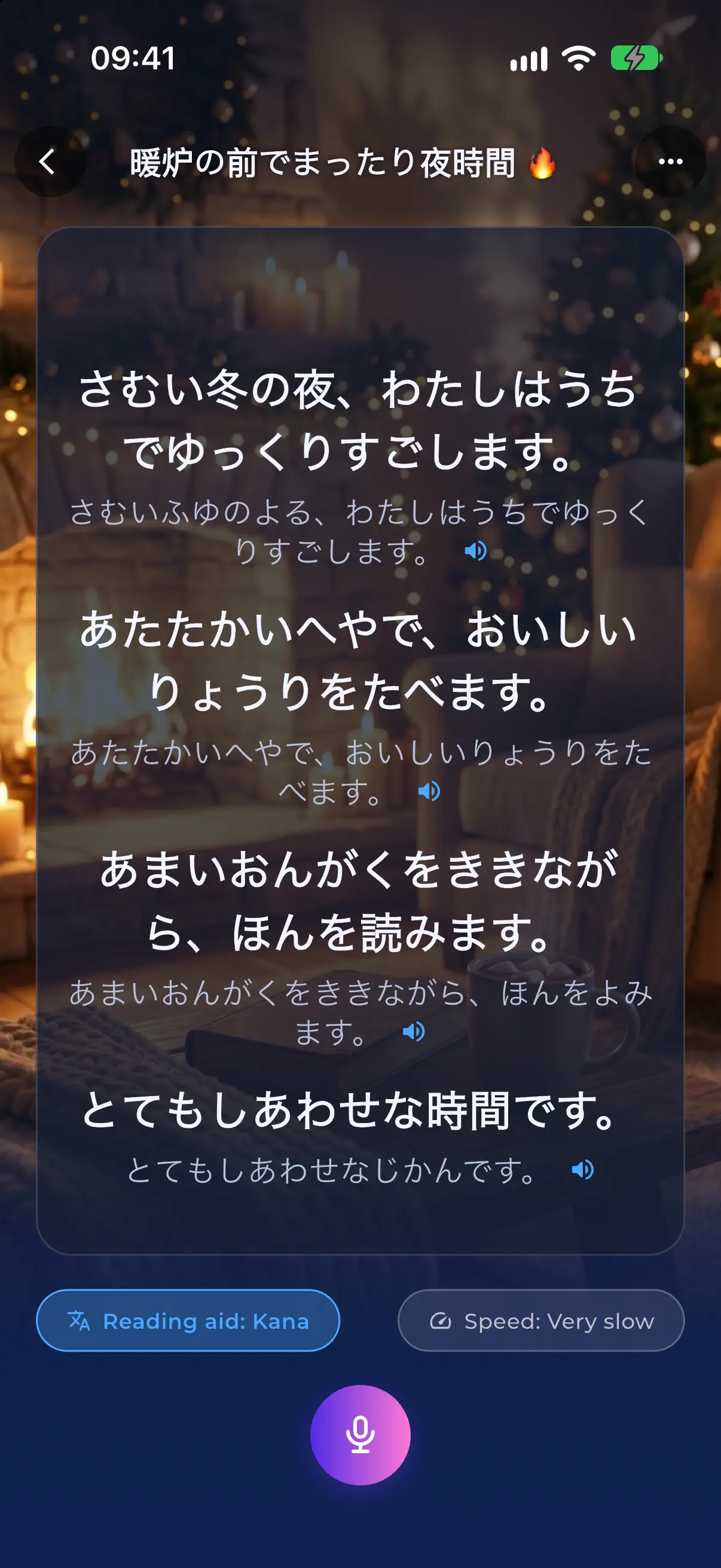
Learning Japanese, Russian, Arabic or Hindi and can't read the script yet? Tap Reading aid and every sentence gets its reading underneath in Latin letters, and for Japanese, in kana too. It covers all 21 languages NativePal teaches that are not written in the Latin alphabet, using the systems learners already know: Hepburn romaji for Japanese, pinyin with tone marks for Chinese, Revised Romanization for Korean, the stressed vowel marked for Russian, Ukrainian, Belarusian and Bulgarian, and tones for Thai. The script itself stays as it is and your take is still scored on it. If your own language uses a different script, the feedback after a take adds the Latin reading after any word it quotes, up to the advanced levels. The app remembers your choice for each language.

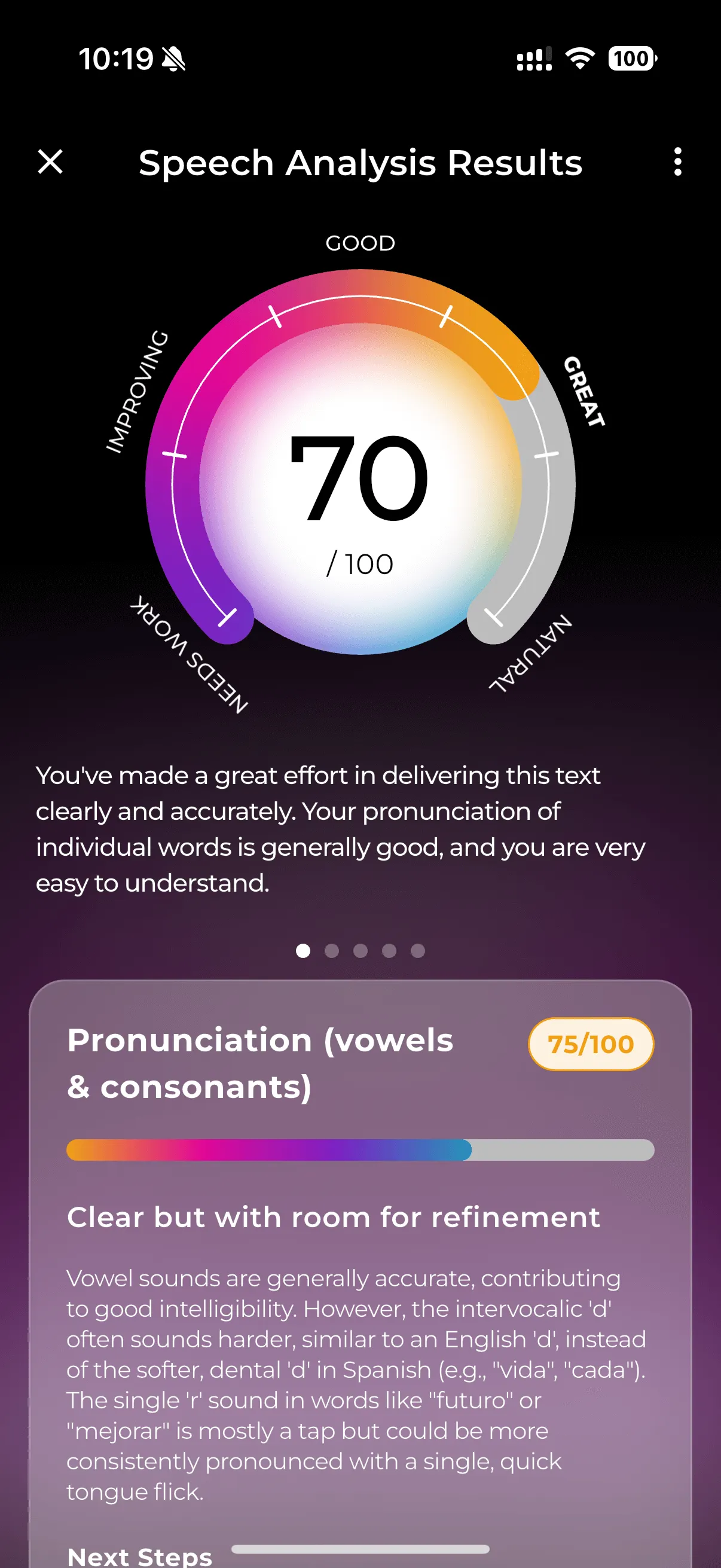
Each vowel and consonant is individually evaluated and scored. You'll see exactly which sounds you're nailing and which ones need more practice. The color-coded results make it easy to spot patterns — maybe your French 'r' is perfect but your nasal vowels need work.
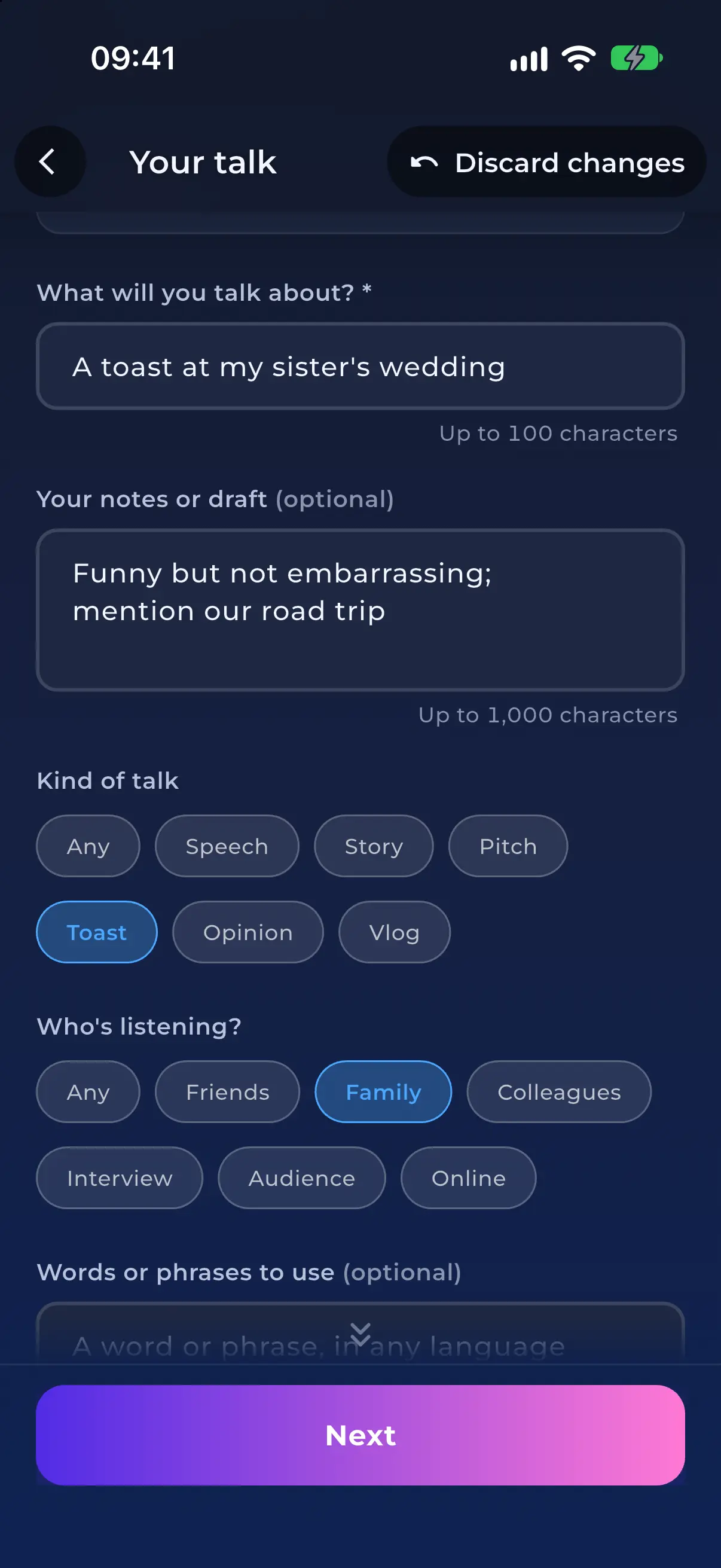
Got something real to say? Tap Create your own at the top of the Teleprompter list and paste your notes or a draft, in any language: a toast for a wedding, a self-introduction for a new team, a short pitch. Say what kind of talk it is and who will be listening, and NativePal turns it into a script at your level, ready to read aloud and score.
Speaking a language isn't just about getting the sounds right — it's about the music of the language. NativePal analyzes your stress patterns, rhythm, and intonation to help you move beyond 'textbook' pronunciation and toward natural, flowing speech.
Are you speaking too fast? Too slow? Pausing in unnatural places? The fluency analysis tracks your pacing, hesitations, and flow, giving you a clear picture of how smooth your speech sounds to a native listener.
Not sure how a sentence should sound? With the reading aid on, tap the speaker on any line to hear it, or select words in the script and tap Listen. It uses your phone's own voice, so it works in the languages your phone has a voice for, and it stays out of the way while you record. For your first scripts, the Very slow speed keeps the teleprompter at a beginner's pace.
For learners who
How to practise speaking a language with no partner or tutor: timed free speech, texts read aloud with pronunciation scoring, and roleplay that answers back.
For learners who
What an AI language tutor is good at, where it fails, how NativePal differs from prompting ChatGPT, and when you still want a human teacher.
When you read a script aloud in Speaking Practice and send your take, NativePal compares your speech against native pronunciation patterns. You get a breakdown including individual scores for vowels and consonants, prosody analysis (stress, rhythm, intonation), fluency and pacing feedback, and connected speech evaluation.
Prosody analysis evaluates the music of your speech — your stress patterns, rhythm, and intonation. It helps you move beyond textbook pronunciation toward natural, flowing speech that sounds like a native speaker.
Yes. Speaking Practice gives granular feedback on individual sounds and overall prosody, so you can see exactly which sounds and rhythm patterns to polish. Over time, focused practice on your weak spots noticeably reduces accent.
Speaking Practice with AI pronunciation analysis works in all 57 languages NativePal supports.
Yes. The teleprompter's reading aid writes every sentence in Latin letters underneath the original, and Japanese can also be shown in kana. It covers all 21 languages NativePal teaches that are not written in the Latin alphabet, and your take is still scored against the original script.
Yes. Create your own at the top of the Teleprompter list turns your notes or a draft, in any language, into a script at your level, so you can rehearse a toast, a presentation or a self-introduction and get it scored.
Yes. With the reading aid on, tap the speaker on a line to hear it, or select words in the script and tap Listen. It uses your phone's built-in voice, and the Very slow speed gives you time to follow along.
Explore More Features
Download NativePal and start practicing for free. Available in 57 languages on iOS and Android.
Alphabet lessons from zero • Levelled reading • Spaced-repetition vocabulary • Pronunciation feedback • 57 languages