Reading Lessons

Read Your Way to Fluency

Reading is where vocabulary finally sticks — but only if what you're reading actually matches your level and interests. NativePal writes you a fresh story on demand: pick a topic, pick a length, and get a story tuned to your level, complete with the key words and phrases you'll need, instant translations on every word, and a quick quiz to prove you understood it.
Pick Something You Actually Want to Read

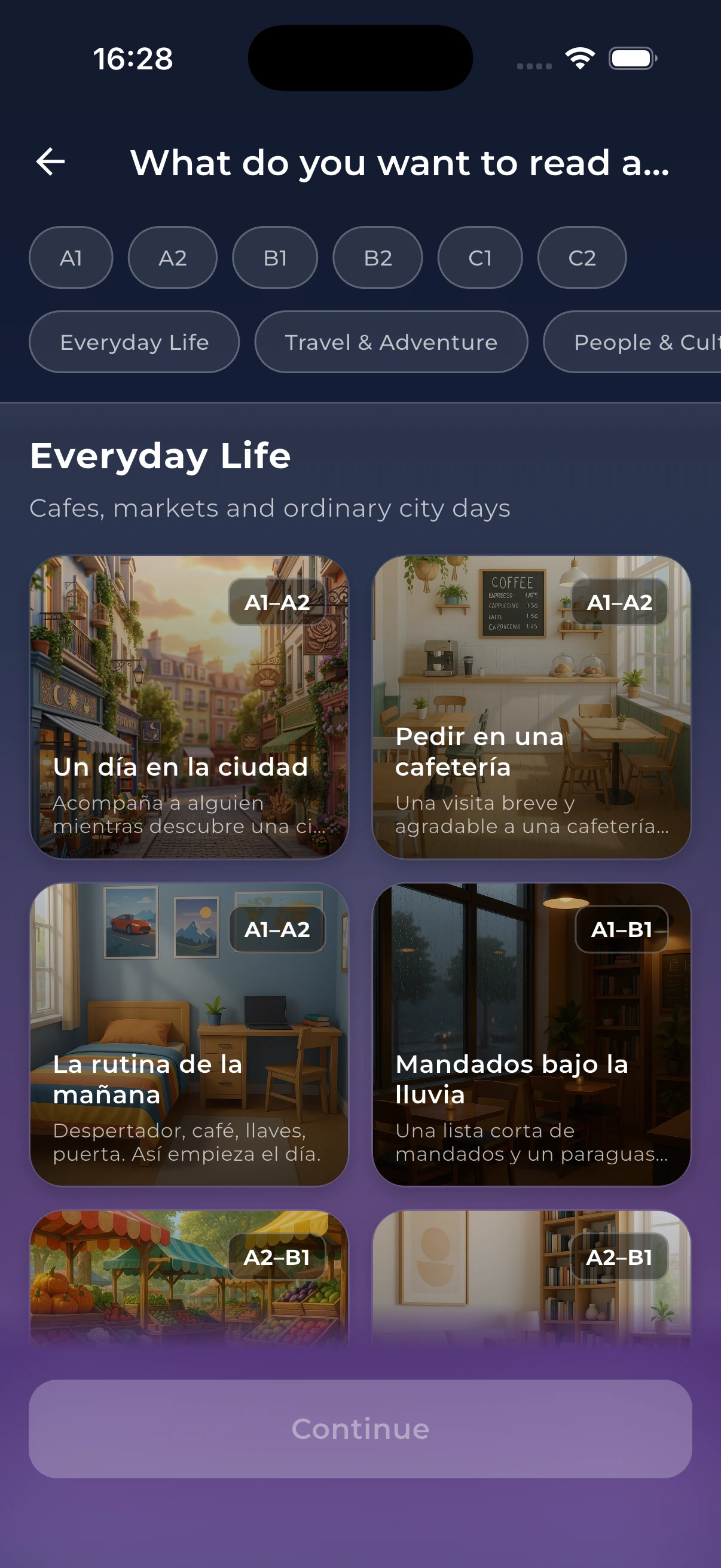
Nearly 70 topics span nine categories — everyday life, travel and adventure, people and culture, work and business, health and wellbeing, society and news, science and technology, arts and entertainment, and slice-of-life short stories. Filter by category or level to find the one that fits your mood, then let NativePal write it. Because every story is generated fresh, you never run out of material or reread the same passage twice.

Reading topics, with Create your own at the top and a level filter

Or Describe the Story Yourself

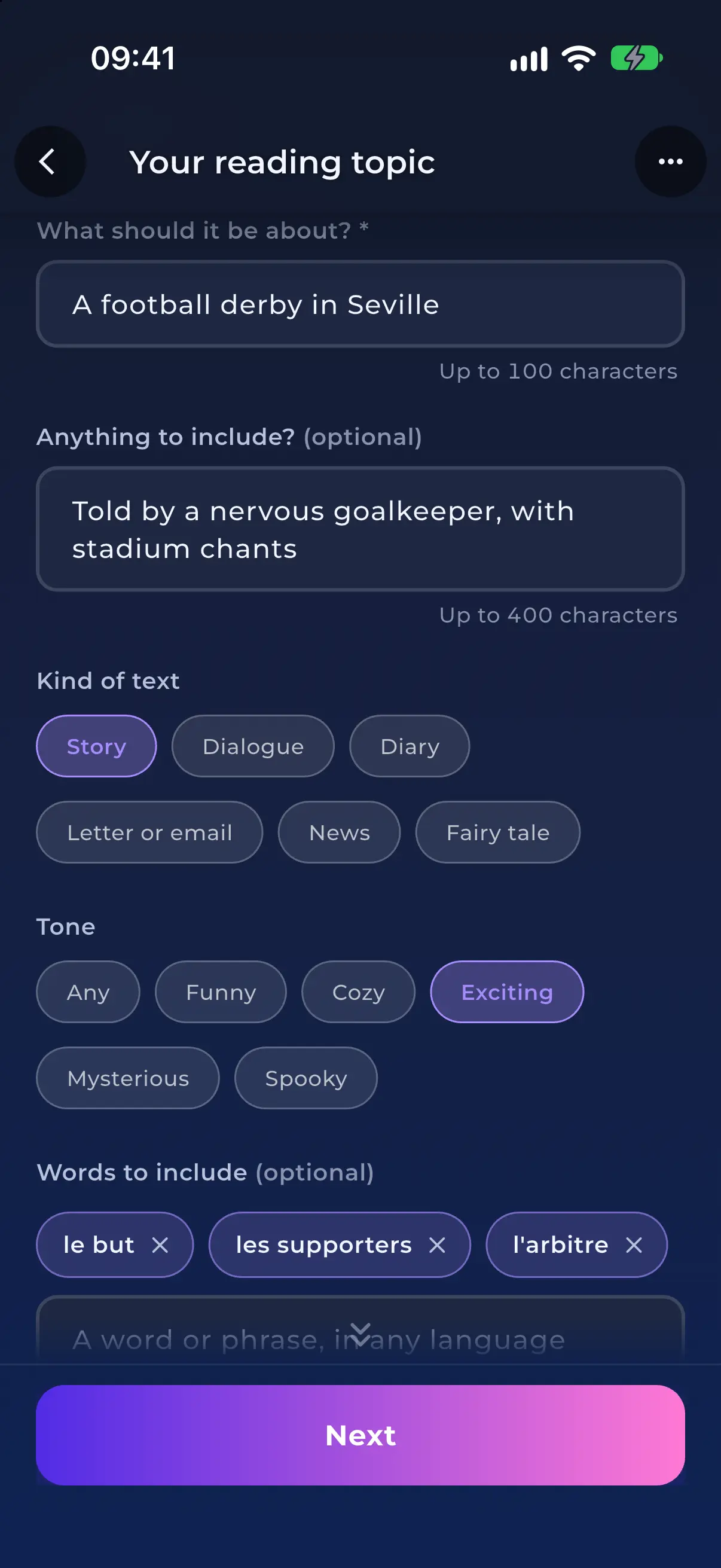
None of the topics fit? Tap Create your own at the top of the list and describe the story you want: a diary of a first week abroad, a letter to a new neighbour, a fairy tale starring your son. Choose the kind of text and the tone, add the words you want to meet, and name the hero, or make it you. The story is written at your level like any other, and when you finish, Next chapter carries it on with the same characters.

Describing your own story: what it is about, the kind of text, the tone and the words to include

Learn the Key Words Before You Begin

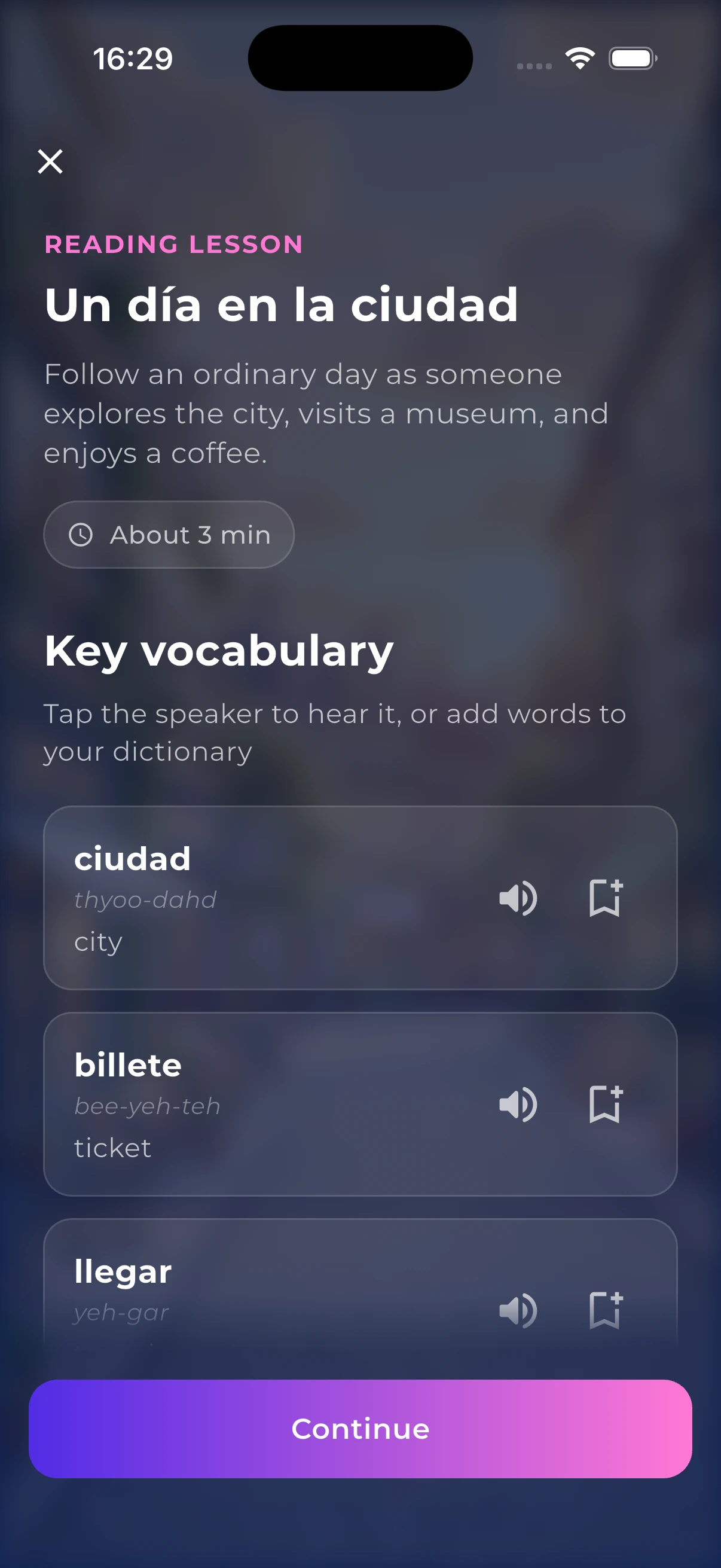
Before the story starts, NativePal front-loads what you'll need: the key vocabulary from the text and a handful of useful expressions worth stealing for your own conversations. Tap the speaker on any of them to hear it pronounced by a native-sounding voice, so you recognise the words by ear as well as by sight once they appear in the story.

Key vocabulary and useful expressions shown before the story

Tap Any Word for an Instant Translation

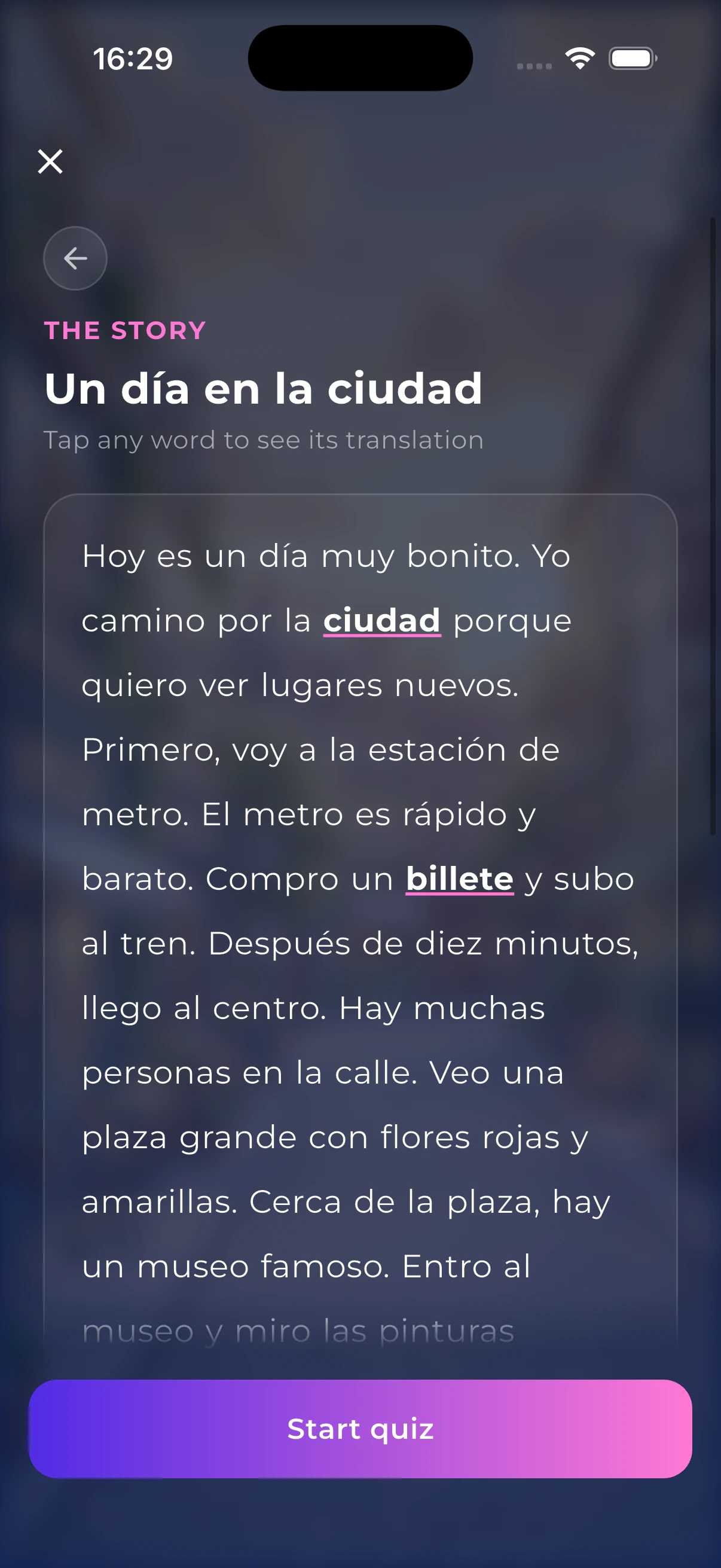
Nothing kills reading momentum like switching to a dictionary app. In NativePal, tap any word in the story and its translation and explanation appear right there. The words worth noticing are highlighted for you, but every single word is tappable — so you can satisfy your curiosity and keep reading in the same breath. Want to hear a sentence? Select it and tap Listen, and your phone reads it aloud.

Reading a story with tappable words in your target language

Check What You Actually Understood

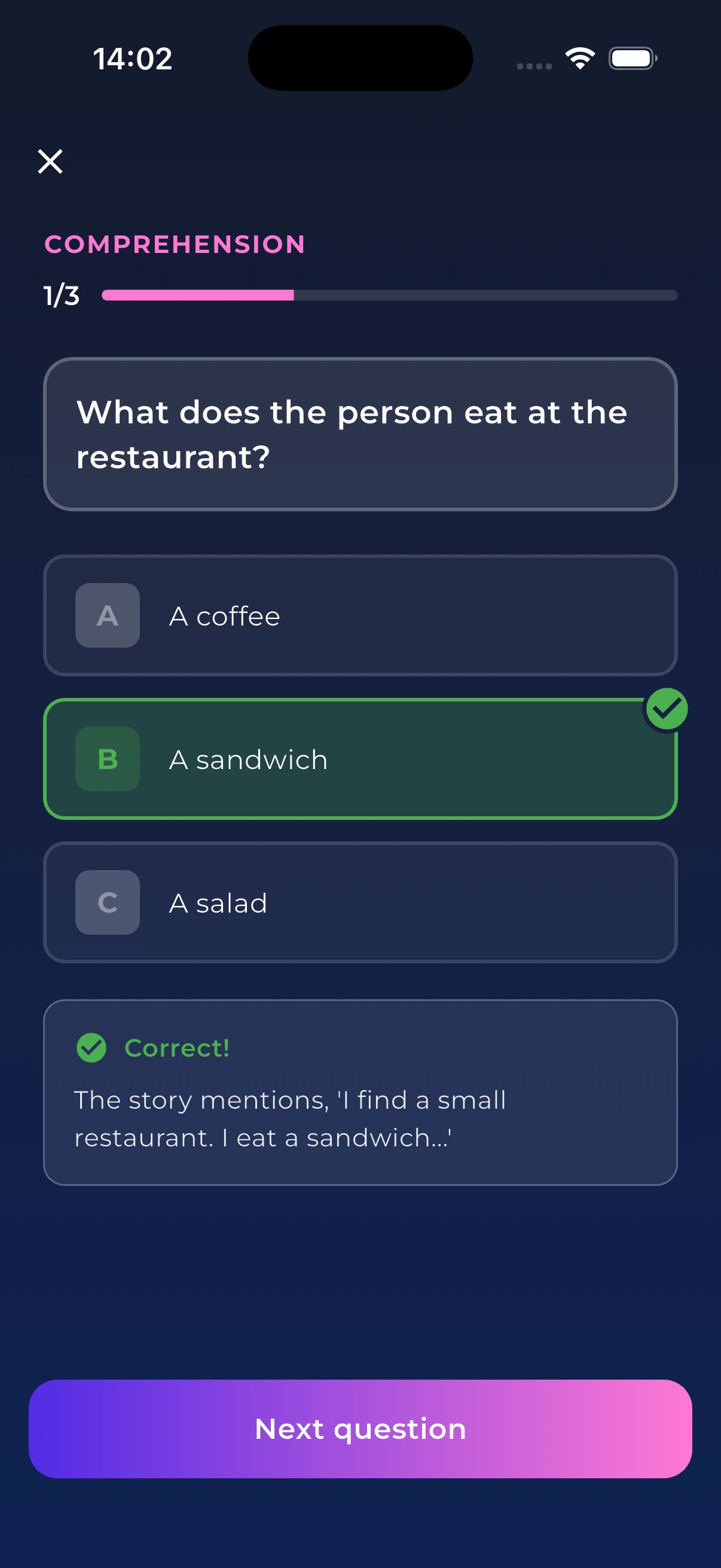
Recognising words isn't the same as understanding a story. Each lesson ends with comprehension questions — three for a short read, up to eight for a long one — answered one at a time. You find out immediately whether you were right, along with the line from the story that proves it, so a wrong answer teaches you something instead of just costing you a point.

Answering a comprehension question about the story

See Exactly How You Did

Every lesson closes with a comprehension score and a review of every question, with your answer next to the right one. Tap the story's name to reread it now that you know what you overlooked, or tap Try Again for a new quiz on the same story. Questions about what a word means that you get wrong are saved to Mistakes > Words in the Library, where they come back as practice.

Written for Your Level, at the Length You Want

Every story is composed for your CEFR level, from A1 all the way to C2, so the grammar and vocabulary stretch you without losing you. You also choose the size of the read: a short story to warm up, a medium one with more detail, or a long one for deeper practice. Short reads take around three minutes; the longest run closer to nine.

Every New Word Can Come With You

Any word you meet in a story can be saved to your personal dictionary with a tap, tagged so you remember it came from a reading lesson. Press and hold to select a whole phrase instead, and it is saved as one entry. From there it flows into your flashcards and quizzes, where spaced repetition makes sure the word you looked up today is still yours next month.

Key Features

  • Nearly 70 story topics across 9 categories
  • Stories written for your CEFR level, from A1 to C2
  • Choose a short, medium, or long read
  • Key vocabulary & useful expressions with native audio
  • Tap any word in the story for an instant translation
  • Comprehension quiz with instant feedback & explanations
  • Save any word straight to your personal dictionary
  • A brand-new story every time, in 57 languages
  • Describe your own story and continue it chapter by chapter
  • Select a sentence and tap Listen to hear it

Who this is for

How NativePal compares

Reading Lessons — Frequently Asked Questions

What are NativePal's Reading Lessons?

A Reading Lesson is a complete reading exercise built around a story written just for you. You pick a topic and a length, and NativePal generates a story at your level along with its key vocabulary, useful expressions, tappable translations on every word, and a comprehension quiz at the end.

Are the stories matched to my language level?

Yes. Every story is written for your CEFR level, anywhere from A1 to C2, using your level from your language profile. The vocabulary and grammar are pitched to stretch you slightly without becoming unreadable, so the same topic reads very differently for a beginner and an advanced learner. The list starts on your own level, and you can switch the level for any lesson.

What can I read about?

There are nearly 70 topics across nine categories: everyday life, travel and adventure, people and culture, work and business, health and wellbeing, society and news, science and technology, arts and entertainment, and short stories. You can filter by category or by level to find one that fits. If none of them is what you want, Create your own writes a story about whatever you describe.

Can I choose what the story is about?

Yes. Besides the ready-made topics, Create your own at the top of the list lets you describe the story you want, pick the kind of text and the tone, list words to include and name the hero, or make it you. It is written at your level and can continue chapter by chapter.

Can I look up words while I'm reading?

Yes. Tap any word in the story and its translation and explanation appear immediately, without leaving the page. Key words are highlighted to draw your eye, but every word in the text is tappable, and any word can be saved to your personal dictionary with one more tap.

How long does a reading lesson take?

That's up to you. A short read is around 150 words and takes about three minutes, a medium one around 300 words, and a long one around 450 words at roughly nine minutes. Add a couple of minutes for the vocabulary preview and the comprehension quiz.

Do I get tested on what I read?

Every lesson ends with a comprehension quiz — three questions after a short story, five after a medium one, and up to eight after a long one. You answer one at a time and get instant feedback with an explanation, then see your overall comprehension score and a review of each question. Try Again gives you a new quiz on the same story.

Which languages have reading lessons?

Reading Lessons work in all 57 languages NativePal supports, including Spanish, French, German, Italian, Portuguese, Japanese, Korean, Chinese, Arabic, and Hindi. Stories are generated on demand, so every language gets the full topic library.

Explore More Features

Alphabet Lessons → Grammar Lessons → Learn From Your Mistakes → Create Your Own Lessons → Vocabulary & Dictionary → Speaking Practice → Daily Challenges → Learning Scenarios → Immersive Scenarios → AI Chats → AI Characters →

Try Reading Lessons Today

Download NativePal and start practicing for free. Available in 57 languages on iOS and Android.

Download on the App Store Get it on Google Play

Alphabet lessons from zero in 57 languages • Grammar lessons • Mistakes review • Levelled reading • Spaced-repetition vocabulary • Pronunciation feedback

Follow us on social