57 Languages

Master any language by practising it

From your very first letter to real conversations — in 57 languages

NativePal is an AI language learning app for iOS and Android that starts from zero, in 57 languages including English, Spanish, French, Japanese and Korean. Alphabet lessons teach the letters and their sounds, vocabulary lessons your first words and grammar lessons how sentences work, level by level; reading, speaking and conversation put it all to use, and the mistakes you make come back for practice until you get them right. Free to start, no account required; a premium plan unlocks unlimited practice.

Download on the App Store Get it on Google Play
NativePal AI Characters
Alphabet Lessons

Start a New Language From the Very First Letter

Most language apps assume you can already read the language. NativePal starts one step earlier. Alphabet lessons teach the letters and how they sound, a few at a time, with every sound explained in your own language, audio for each letter and real example words. A short quiz after each pack checks what stuck. It's how a complete beginner starts from zero, in any of the 57 languages.

  • Start from zero, no prior knowledge needed
  • A course for every one of the 57 languages
  • Every sound explained in your own language
  • Audio and real example words for every letter
Learn more →
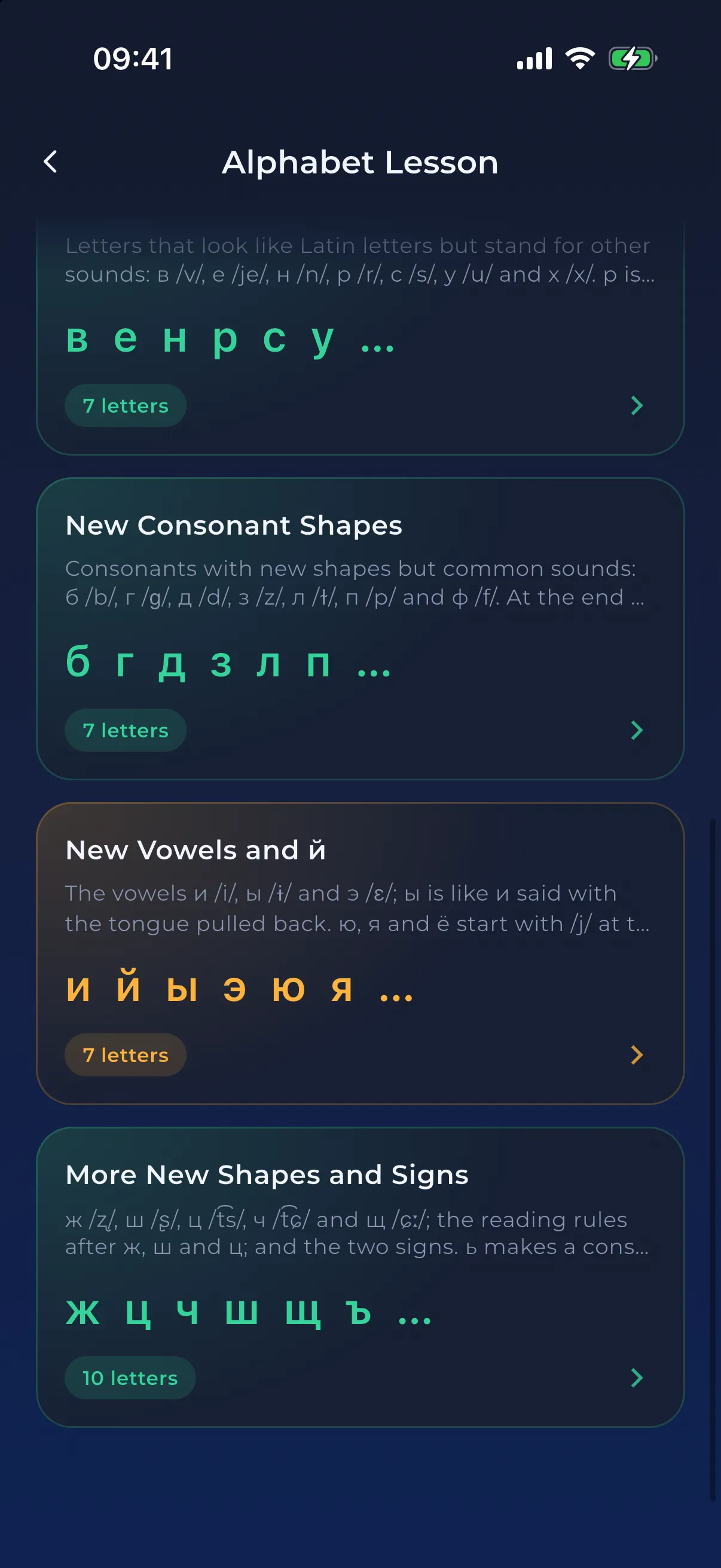
Russian alphabet packs, each with a few new Cyrillic letters
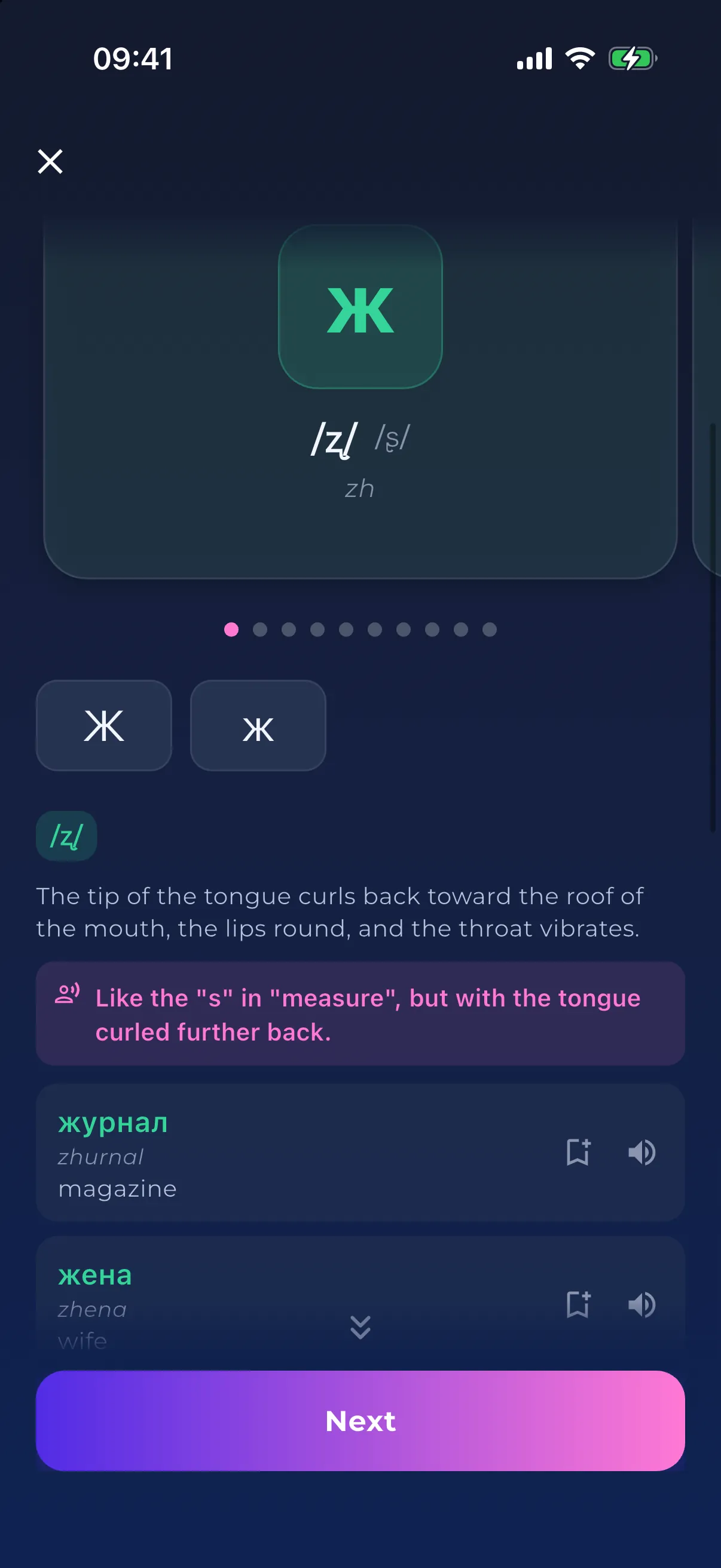
A card for the Russian letter ж with its sound, a comparison to English and example words
Grammar Lessons

Learn How the Language Works, One Topic at a Time

NativePal has grammar lessons: a course for the language you are learning, level by level from A1 to C2, one topic at a time. Each lesson explains one grammar point in your own language, with tables, example sentences you can listen to, a comparison with your own language and the mistakes learners usually make, and ends with an 8-question quiz written with new sentences every time. The Japanese course uses JLPT levels N5 to N1, Chinese HSK 1 to 6 and Korean TOPIK 1 to 6.

  • A grammar course for the language you are learning, level by level
  • One grammar point per lesson, explained in your own language
  • Tables, examples you can listen to and a comparison with your language
  • An 8-question quiz with new sentences every time
Learn more →
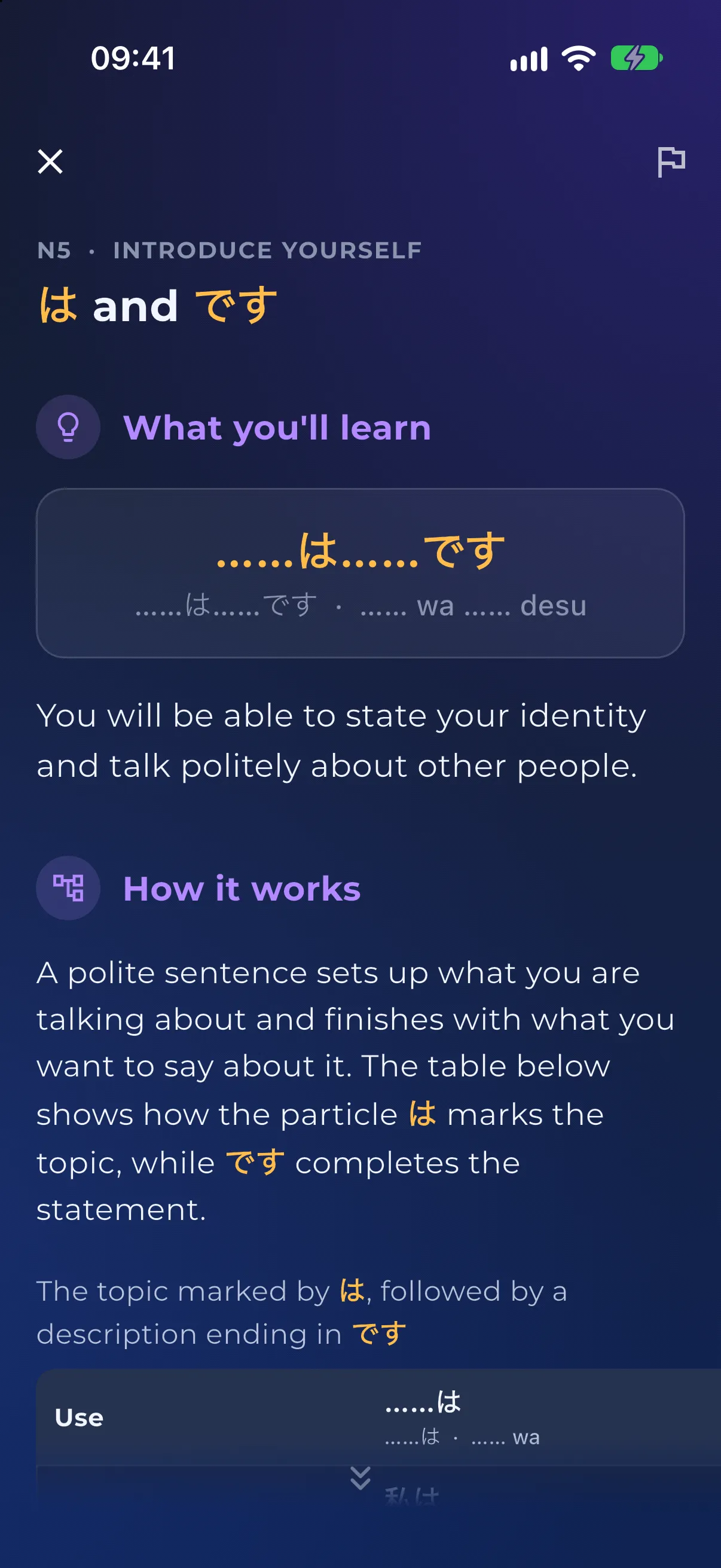
The top of a Japanese lesson on は and です: What you'll learn shows the pattern in kana and romaji, and How it works explains it in English
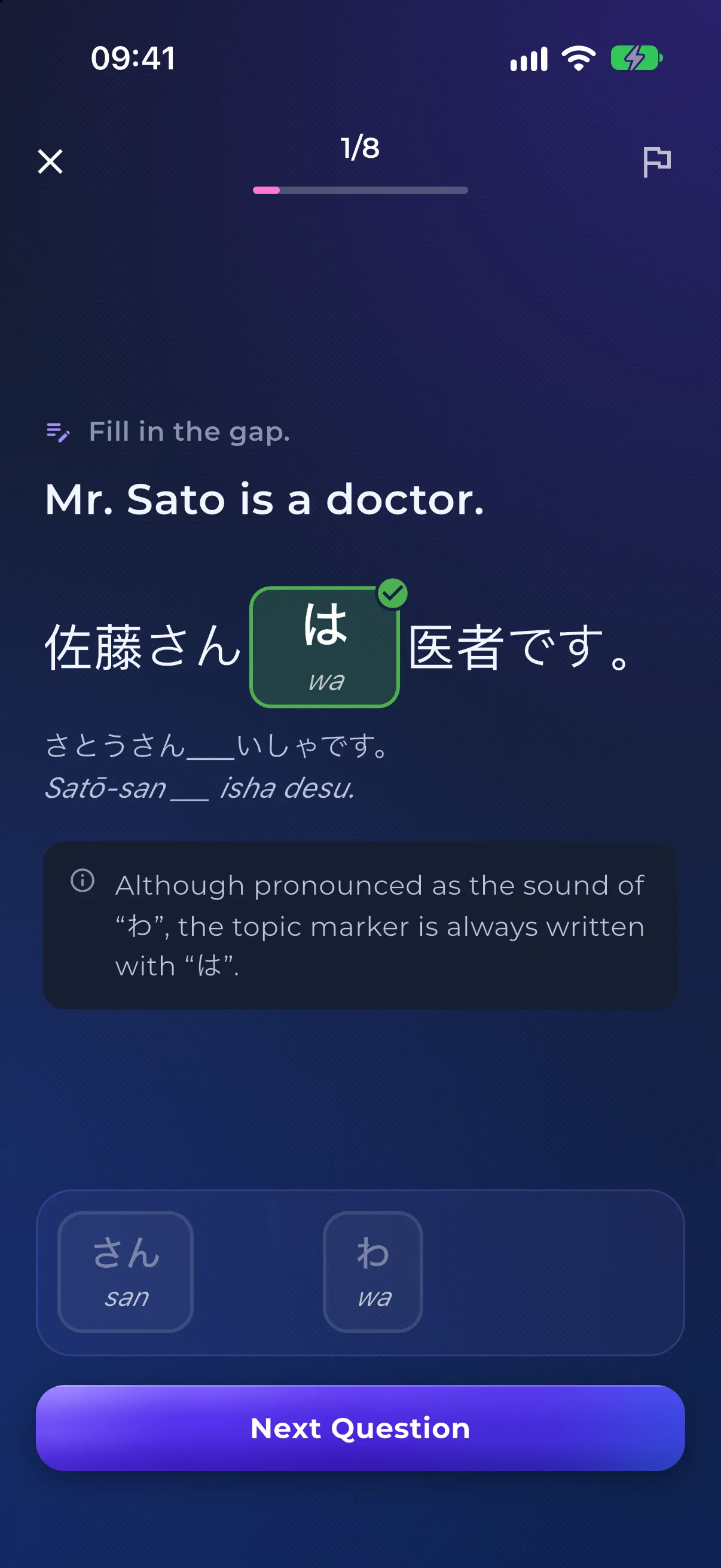
A fill-the-gap question for Mr. Sato is a doctor, answered with は, and a tip that the topic marker sounds like わ but is written は
Learn From Your Mistakes

Practise What You Got Wrong Until It's Fixed

NativePal keeps the mistakes you make in lesson quizzes, chats and the daily speaking challenge, sorts them into words, grammar and letters, and brings them back in short practice sessions until you have got each one right on three different days. There is nothing to set up: your mistakes wait on the Mistakes tab in your Library, and each practice session is written from them, often from your own sentences.

  • Mistakes from lesson quizzes, chats and the daily challenge, saved for you
  • Sorted into Words, Grammar and Letters
  • Short practice sessions built from your own mistakes
  • Fixed once you get it right on three different days
Learn more →
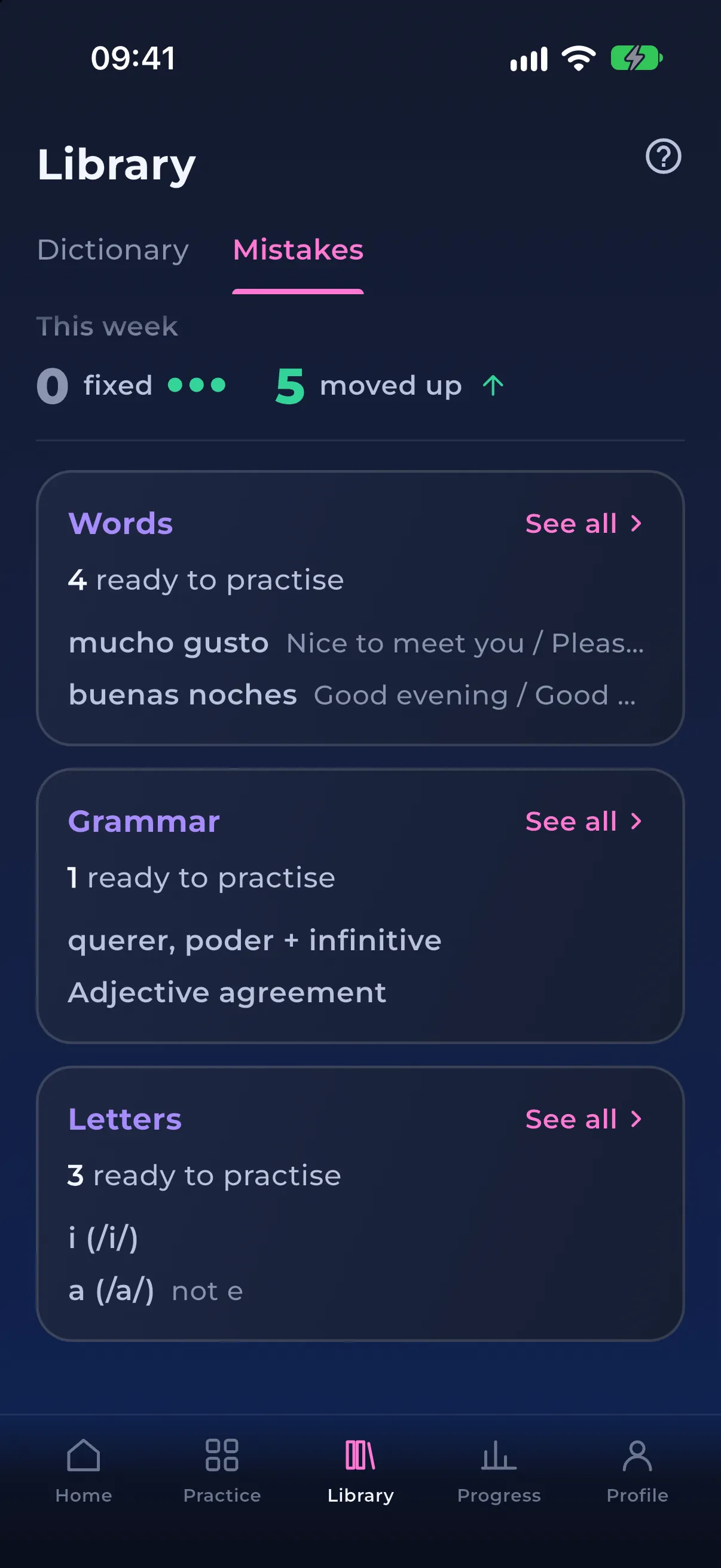
The Mistakes tab in the Library: 5 moved up this week, and Words, Grammar and Letters with 4, 1 and 3 mistakes ready to practise
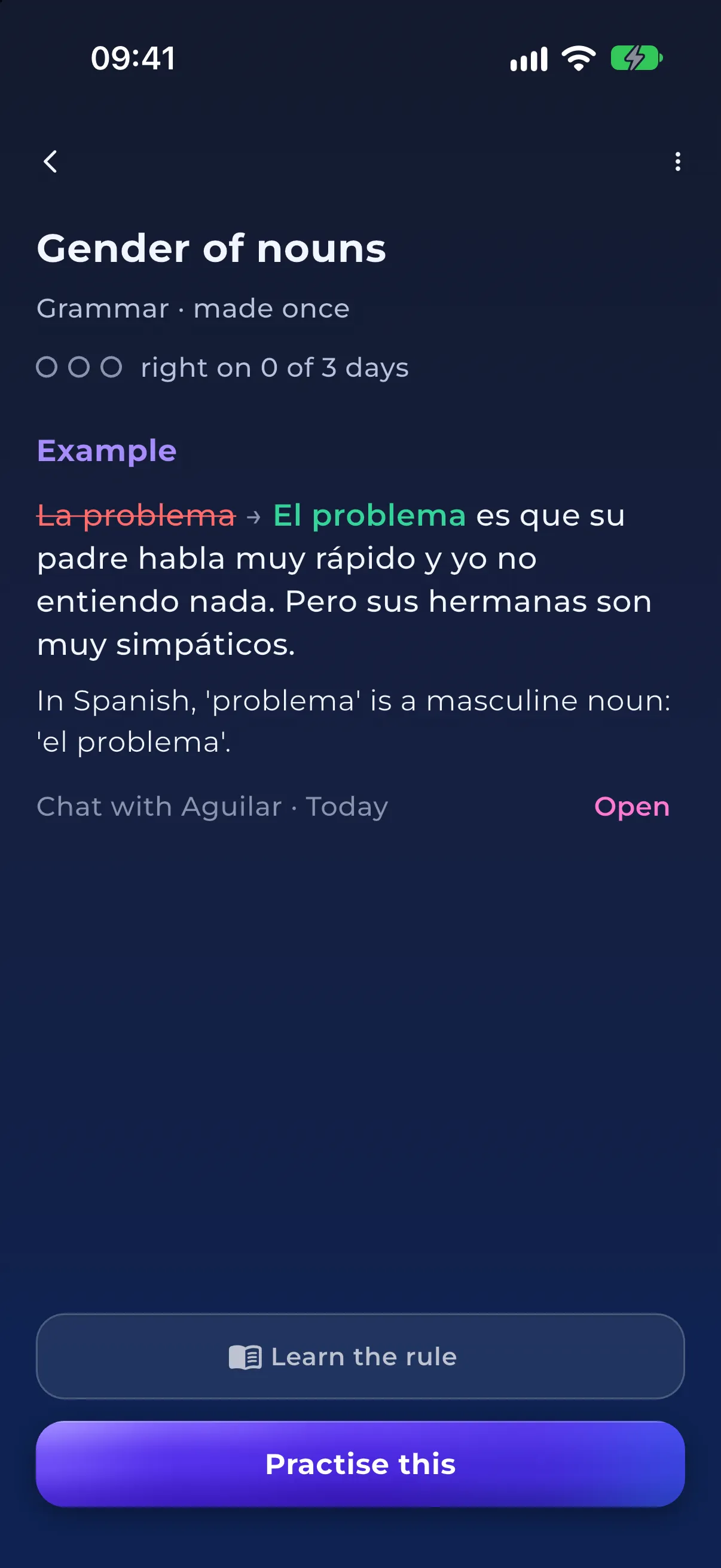
A Spanish grammar mistake, Gender of nouns: three empty dots, La problema struck through and corrected to El problema in the learner's own chat sentence, why, where it happened, and Learn the rule and Practise this
Create Your Own Lessons

Lessons About Your Life, Written for Your Level

In NativePal you can create your own lessons: describe a topic, a situation or the words you need, and the app writes a reading story, a vocabulary lesson, a teleprompter script or a role-play at your level, in any of its 57 languages. Your job, your trip, the conversation you are dreading: if it is part of your life, it can be your next lesson.

  • Reading, vocabulary, teleprompter and scenario lessons about anything you like
  • Written for your level: CEFR, JLPT, HSK or TOPIK
  • Stories with your words, your tone and your hero
  • Your own words and idioms taught first
Learn more →
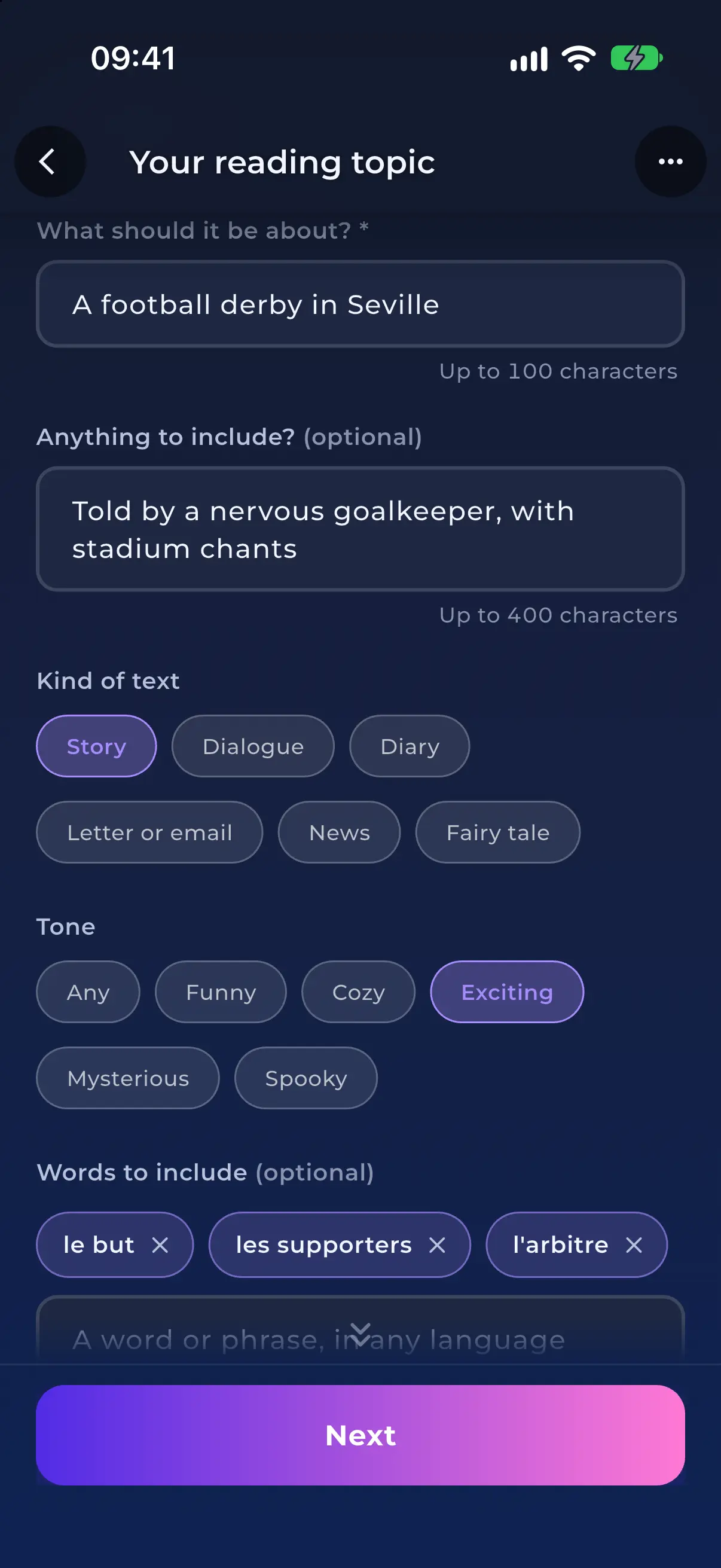
Creating a reading lesson: what it is about, the kind of text, the tone and the words to include
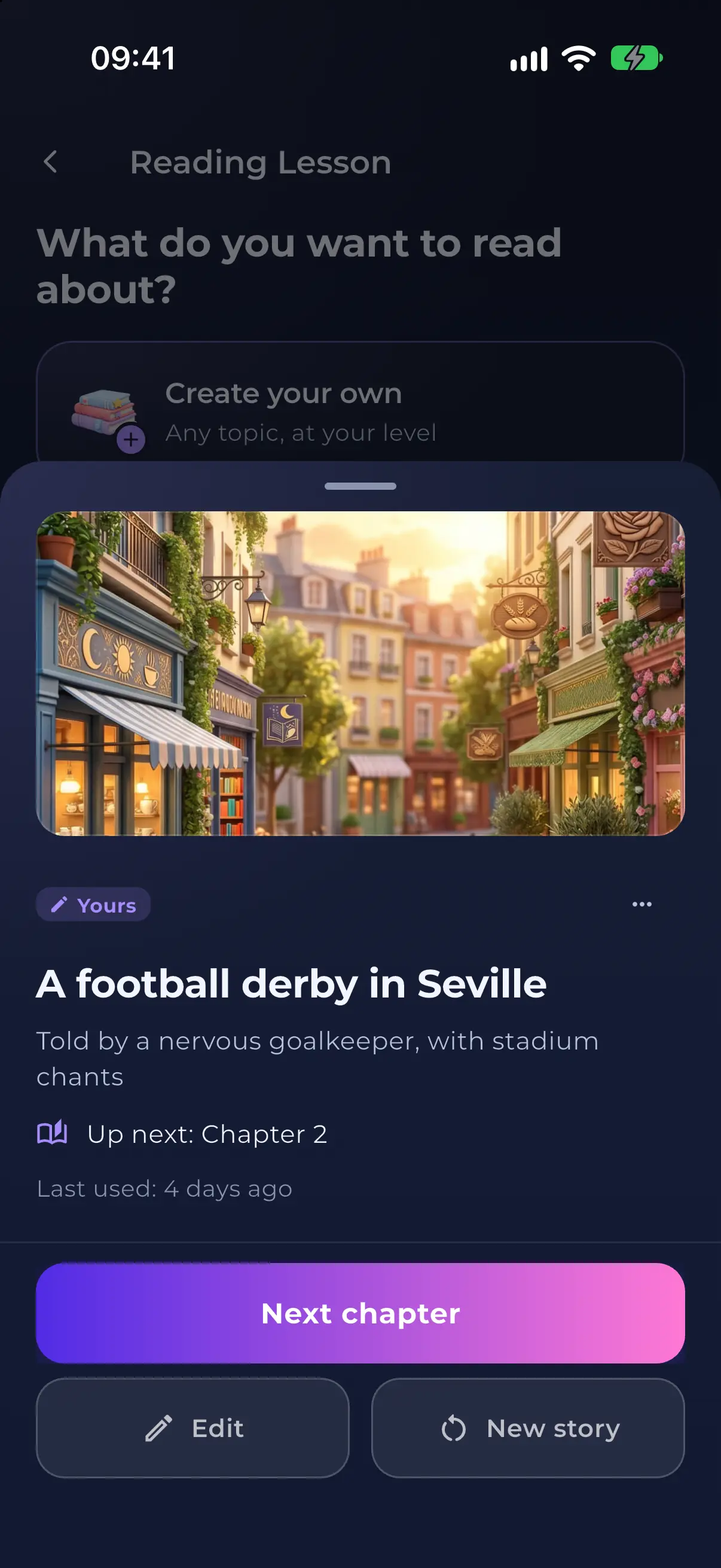
A saved story in Made by you, ready for its next chapter
Reading Lessons

Read Your Way to Fluency

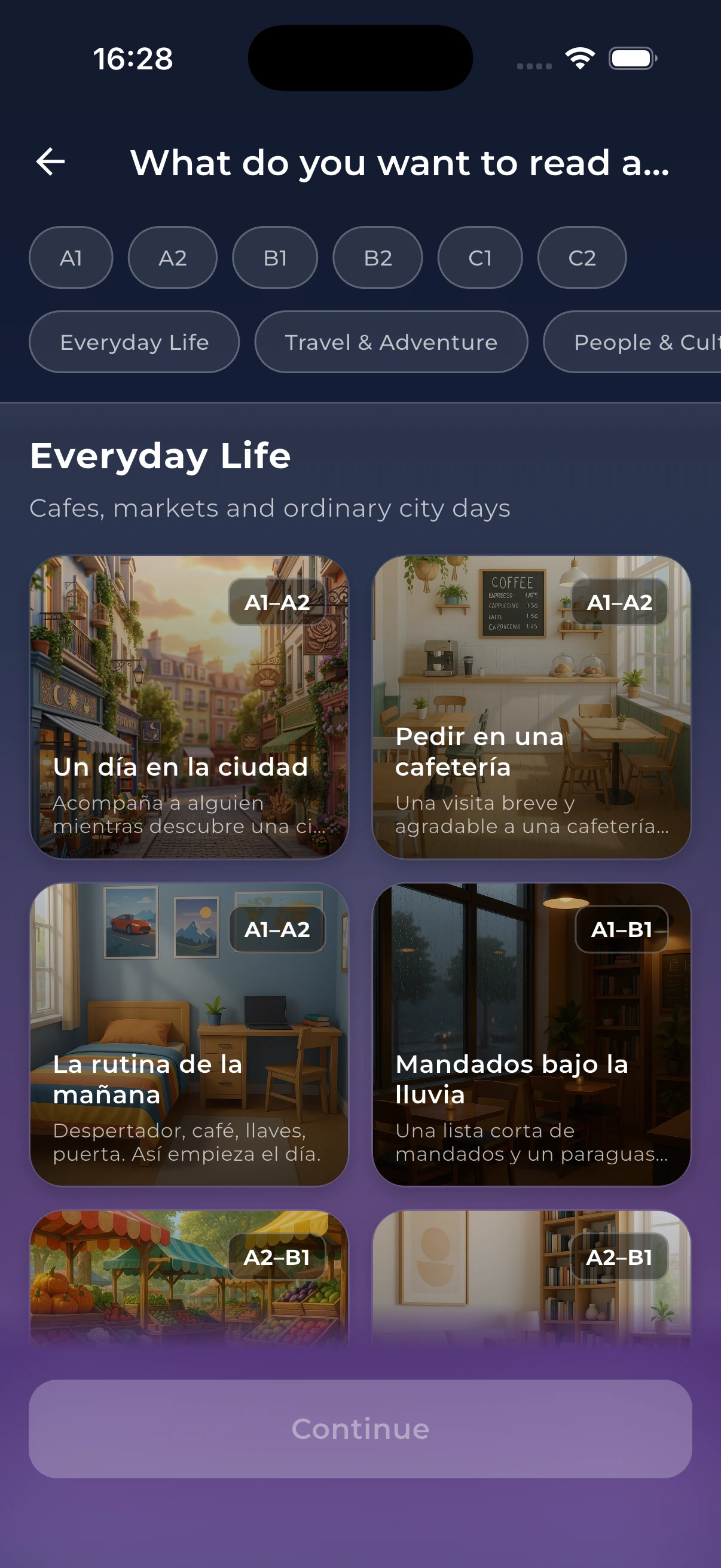
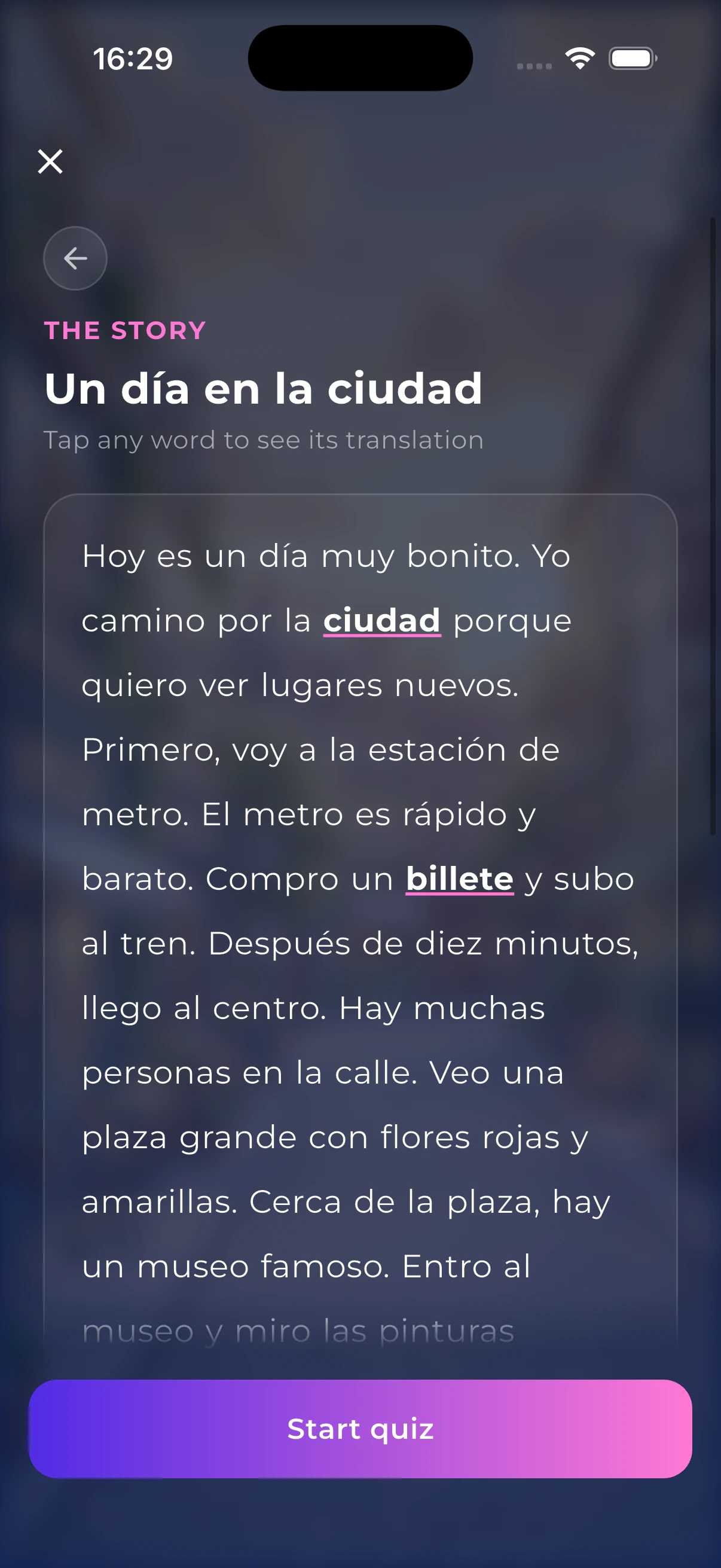
Reading is where vocabulary finally sticks — but only if what you're reading actually matches your level and interests. NativePal writes you a fresh story on demand: pick a topic, pick a length, and get a story tuned to your level, complete with the key words and phrases you'll need, instant translations on every word, and a quick quiz to prove you understood it.

  • Nearly 70 story topics across 9 categories
  • Stories written for your CEFR level, from A1 to C2
  • Choose a short, medium, or long read
  • Key vocabulary & useful expressions with native audio
Learn more →
Reading topics, with Create your own at the top and a level filter
Reading a story with tappable words in your target language
Daily Challenges

Learn From Every Conversation

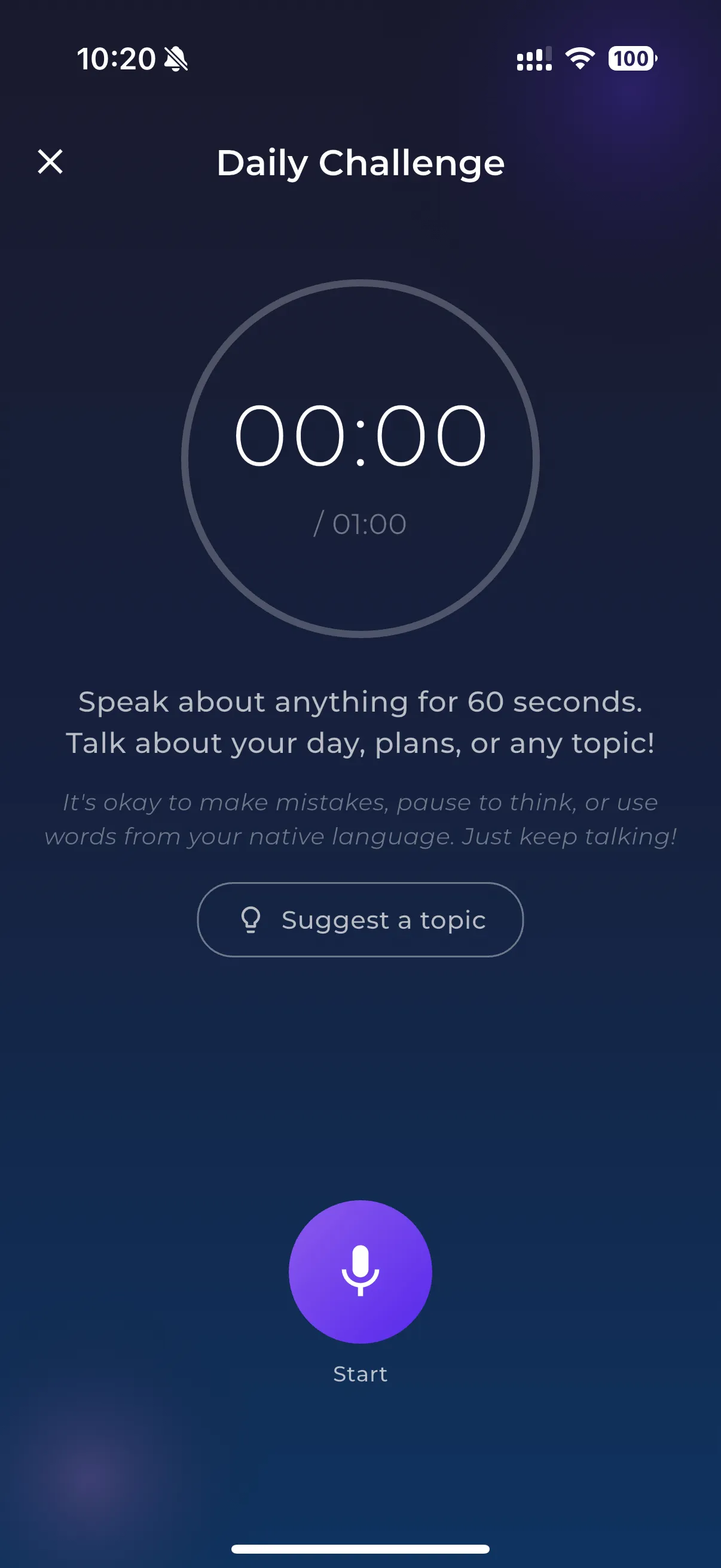
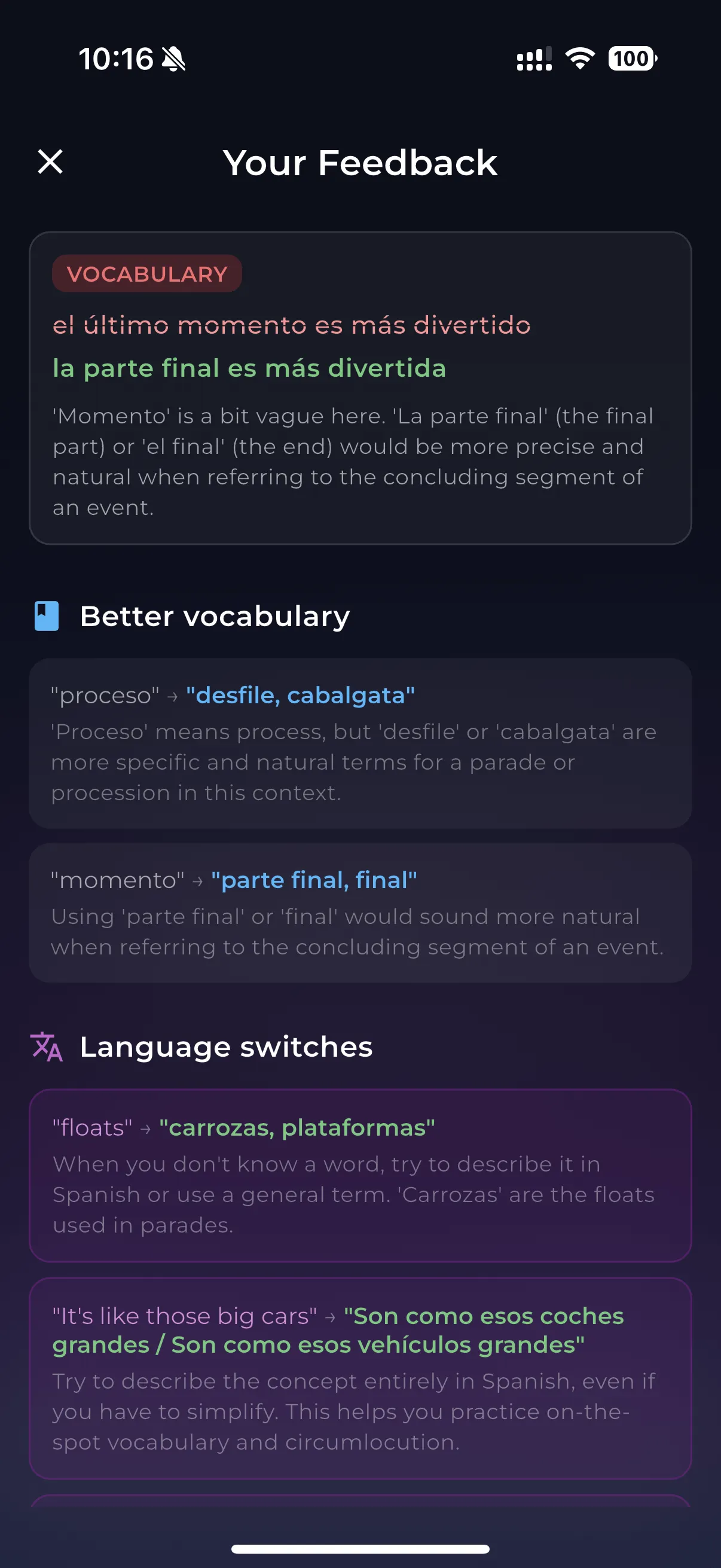
NativePal's Daily Challenges give you a focused, 60-second speaking exercise every day. Speak freely on a topic, and our AI analyzes your grammar, vocabulary, and phrasing — then shows you exactly how a native speaker would say it.

  • Detailed grammar corrections with explanations
  • Vocabulary suggestions for more natural speech
  • Natural alternatives at three levels — basic, natural, formal
  • Personalized topic recommendations
Learn more →
Daily challenge timer screen for 60-second speaking
Detailed feedback showing grammar and vocabulary corrections
Vocabulary & Dictionary

Build a Vocabulary That Actually Sticks

Most apps hand you a word list and hope for the best. NativePal teaches words the way you'll actually meet them — in themed lessons built around real situations, with the examples, usage tips, and common mistakes that separate knowing a translation from knowing a word. Everything you learn or look up lands in your personal dictionary, where flashcards and quizzes keep it from slipping away.

  • Themed vocabulary lessons for real-life situations
  • Collocations & commonly confused word pairs
  • Examples, usage tips & common mistakes for every word
  • Quick 5-question sessions or 20-question deep dives
Learn more →
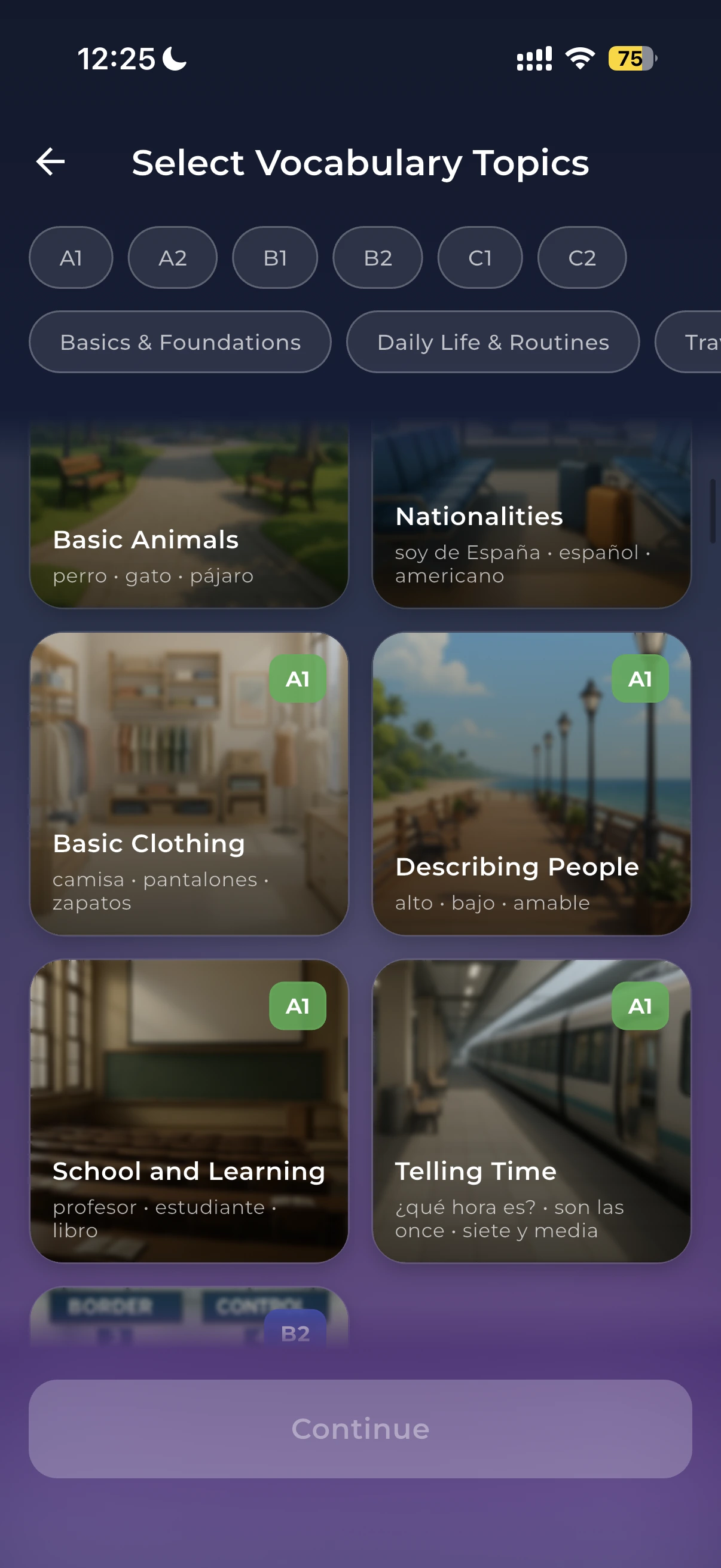
Vocabulary topics with sample words, level filters and Create your own
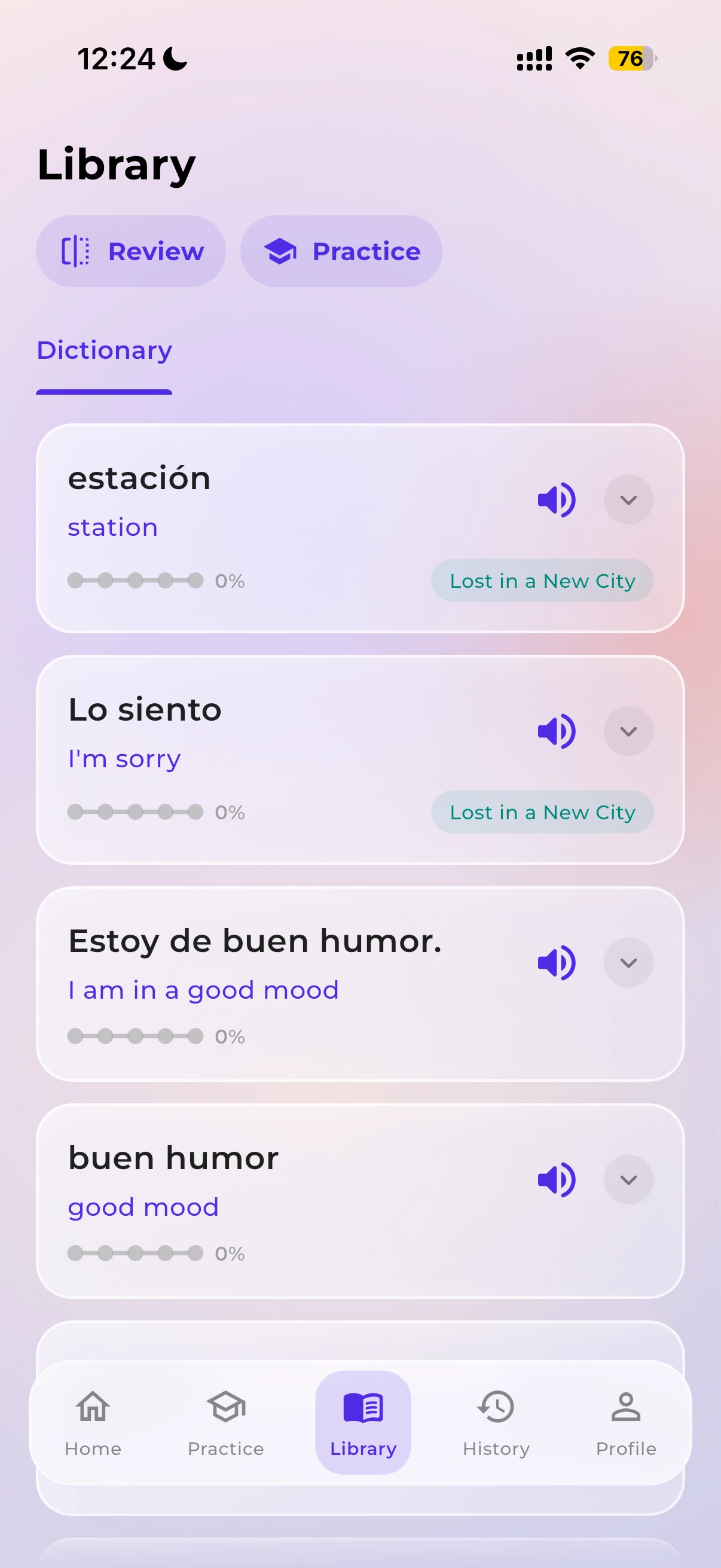
Personal dictionary of saved words collected across the app
Speaking Practice

Perfect Your Pronunciation with AI

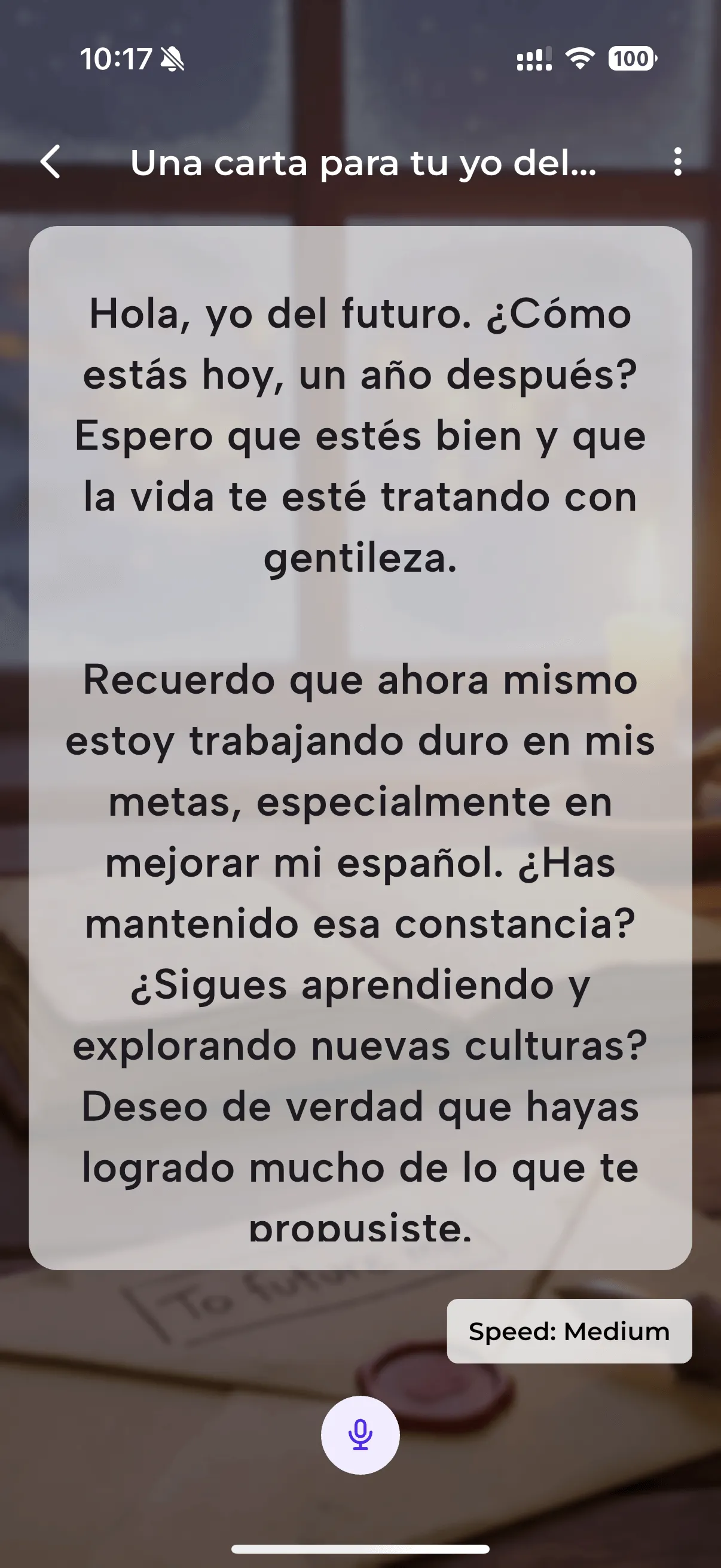
NativePal's Speaking Practice uses an AI-powered teleprompter to help you read aloud and get instant, detailed feedback on your pronunciation. Whether you're a beginner or advanced learner, every session gives you actionable insights to sound more natural and confident.

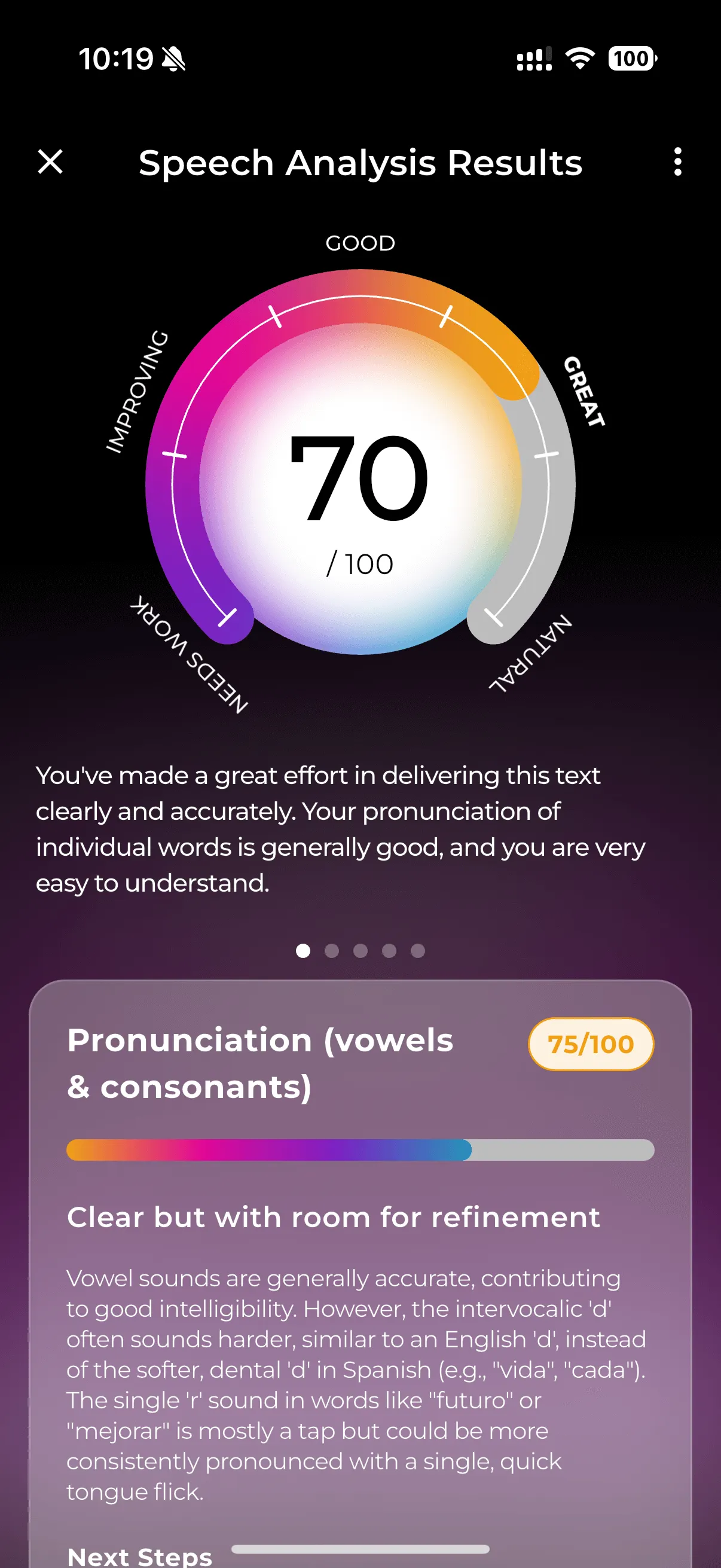
  • Pronunciation scoring for individual vowels & consonants
  • Prosody analysis — stress, rhythm, and intonation
  • Fluency & pacing feedback with hesitation detection
  • Connected speech evaluation for natural flow
Learn more →
A Japanese teleprompter script with the reading aid on: Latin letters under each sentence and a speaker to hear it
AI speech analysis results with pronunciation score

Also in the app

Starting a language from scratch? How to learn a language from zero →

Learn a language

Dedicated pages for each language NativePal supports — reading, vocabulary, and speaking practice.

See all 57 languages →

Frequently asked questions

What is NativePal?

NativePal is an AI language learning app for iOS and Android that takes you from zero, in 57 languages. Alphabet lessons teach the letters and their sounds, vocabulary lessons and a personal dictionary with spaced-repetition flashcards make new words stick, and grammar lessons explain how sentences work, one topic at a time, in your own language. Levelled reading, pronunciation coaching on a teleprompter, guided beginner lessons and conversation put it all to use, and mistakes from lesson quizzes, chats and the daily challenge come back in short practice sessions until you get them right.

How is NativePal different from Duolingo and other language apps?

Duolingo-style apps win at daily drills and streaks. Generic chatbots win at open-ended talk if you prompt them. NativePal is a complete practice loop: you learn grammar one topic at a time, explained in your own language, read stories at your level, save words into spaced repetition, get scored pronunciation feedback and practise your own mistakes until you get them right. You can still chat or roleplay when that is the job; conversation is one tool in the app, not the whole product.

Which languages does NativePal support?

NativePal supports 57 languages, including English, Spanish, French, German, Italian, Portuguese, Japanese, Korean, Chinese (Simplified), Arabic, Hindi, Thai, Vietnamese, Turkish, Hebrew, and many more. Each language is taught natively, not as a translated English course.

Can I use NativePal as a complete beginner?

Yes, from zero. Alphabet lessons teach the letters and how they sound, a few at a time, each explained in your own language with audio, example words and a short quiz, in all 57 languages. Vocabulary lessons and Learning Scenarios then cover your first words, greetings, numbers and introductions, and the grammar course for the language you are learning starts at the first level with the everyday basics, such as saying who you are. From there you move on to reading, speaking practice and conversation as your level grows, and your mistakes come back until you get them right.

Is NativePal free?

NativePal is free to start. The free plan includes every alphabet lesson and a daily allowance of quizzes, reading, vocabulary, speaking practice, and chats. A premium subscription (weekly, monthly, or yearly, priced in the App Store and Google Play) unlocks unlimited use.

Do I need an account?

No. NativePal uses anonymous sign-in, so you can start practising without an email or social login.

Does NativePal correct grammar and pronunciation?

Yes, and it teaches grammar too. Speaking Practice scores pronunciation in detail — individual sounds, rhythm, fluency, and connected speech — and the Daily Challenge corrects the grammar, word choice and phrasing of what you say. Vocabulary and reading include native audio. When you chat, text replies are analysed for grammar, vocabulary, and phrasing, and voice replies get pronunciation notes. Grammar lessons explain the rules one topic at a time, and the grammar and word corrections from your chats and daily challenges come back as practice until you get them right. Pronunciation feedback is not part of that practice.

What proficiency levels does NativePal cover?

Reading lessons and practice adapt to your level. Most languages use CEFR A1–C2. Japanese uses JLPT N5–N1, Chinese uses HSK, and Korean uses TOPIK.

Can I speak with NativePal, not just type?

Yes. Speaking Practice is a teleprompter you read aloud. Daily Challenges are 60 seconds of freeform talk. You can also reply with your voice in chats and scenarios.

Can I create my own lessons in NativePal?

Yes. Describe a topic, a situation or the words you need, and NativePal writes a reading story, a vocabulary lesson, a teleprompter script or a role-play at your level, in any of its 57 languages. Saved lessons can be continued, like the next chapter of a story.

Does NativePal teach grammar?

Yes. NativePal has grammar lessons: a course for the language you are learning, level by level from A1 to C2, one topic at a time. Each lesson explains one grammar point in your own language, with tables, example sentences you can listen to, a comparison with your own language and the mistakes learners usually make, and ends with an 8-question quiz written with new sentences every time. In the Japanese course (JLPT N5 to N1), the lesson on は and です explains why 私は田中さんです (I am Tanaka-san) is wrong: さん shows respect for others, so it never goes on your own name.

Does NativePal help me practise my mistakes?

Yes. NativePal keeps the mistakes you make in lesson quizzes, chats and the daily speaking challenge, sorts them into words, grammar and letters, and brings them back in short practice sessions until you have got each one right on three different days. You find them on the Mistakes tab in the Library, and the practice is built from your own words: a sentence you got wrong in a chat can come back with the corrected part as a gap to fill, next to new questions on the same point.


Looking for a Duolingo alternative, or comparing AI tutors? See how NativePal compares →

Start practising today

Join thousands of learners using NativePal to start from the very first letter, learn words and grammar, read, speak with feedback and practise their mistakes until they are fixed. Available in 57 languages on iOS and Android. Free to start, no account required.

Download on the App Store Get it on Google Play

Spanish • French • German • Italian • Portuguese • Japanese • Korean • Chinese • and 45+ more

Follow us on social

See What's Inside